Catalog agents
Besides building its own agents, the organization can install ready-made agents from the Agents tab of the Integrations catalogAdministration. They're published by ConsulPoint and, if the organization works with a distributor, also by that distributor.
A catalog agent arrives ready to use: with its instructions, documents, specialists and skills. The organization uses it and can turn it on or off, but doesn't edit it: whoever publishes it maintains it and sends new versions.
Use cases: a customer service agent the distributor prepared for all its organizations; an assistant specialized in a regulation, with its documentation included.
Find an agent
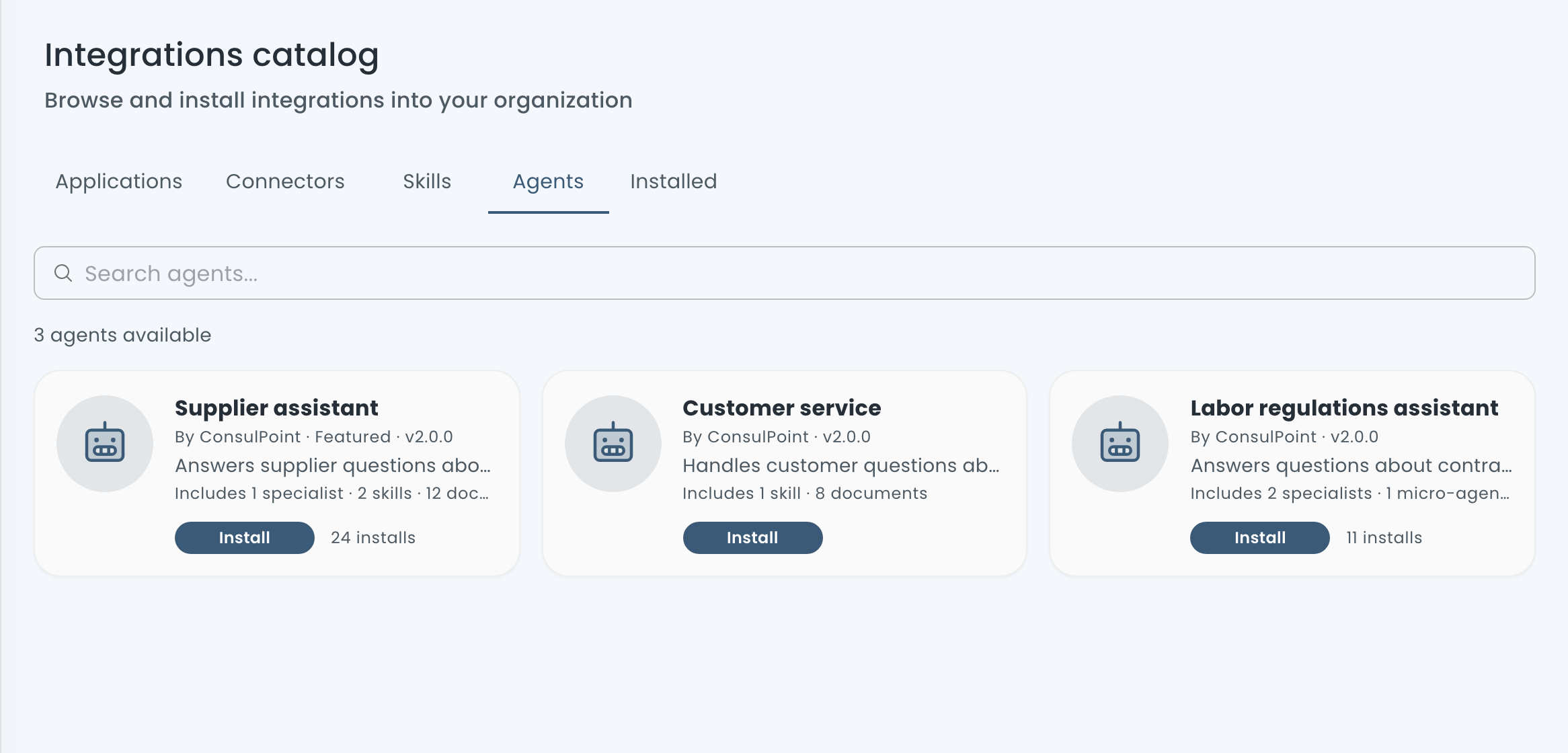
The catalog's Agents tab shows the agents available to the organization, with a search box. Each card shows:
- who publishes it (By …), and whether it's Featured;
- Assigned by your distributor or Assigned to your organization, if someone installed it for the organization;
- the version and a description;
- what it includes besides the agent: specialists, micro-agents, skills, data schemas and documents.
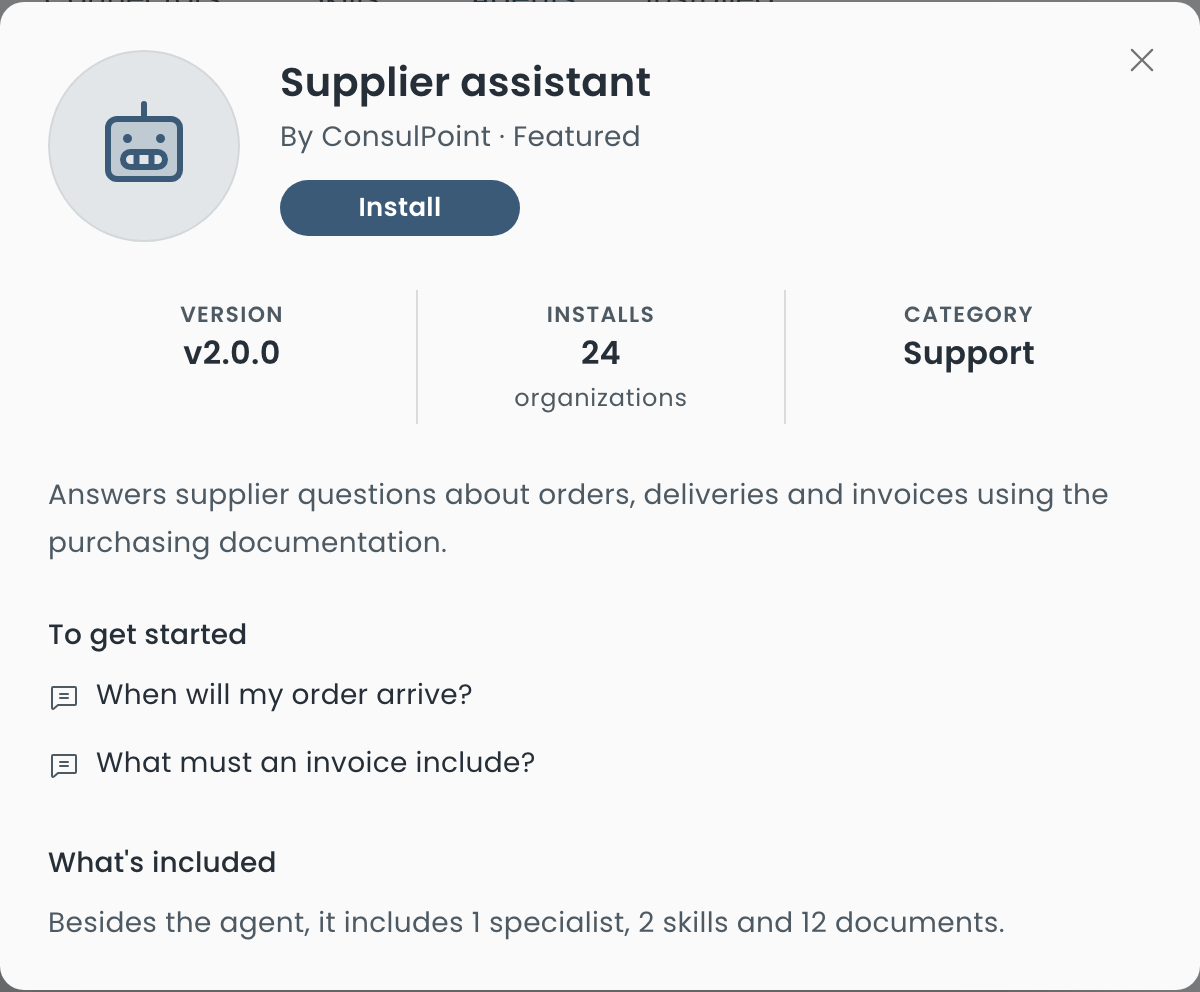
Clicking the card opens the detail, with the version, the category, To get started (sample questions) and What's included.
Install
- Click Install on the card or in the detail.
- In Install agent, review what will be created: This agent, its specialists, micro-agents, skills and data schemas. The ones marked Optional can be removed.
- If a name already exists in the organization, another one is proposed, which you can change.
- Pick the AI model the agent will answer with. By default, the one the publisher chose.
- Click Install agent (Install agent and … more, if other resources are installed too).
When it finishes, Agent installed appears, and the agent is already in Studio.
| Situation | What happens |
|---|---|
| An AI model has to be chosen | Only an administrator can do it. If you aren't one, the window asks an administrator to do it |
| The install exceeds a subscription limit | The window says so (This exceeds your subscription limit), with how much each resource type uses. Agents, specialists and micro-agents count as agents. See Credits and limitsAdministration |
| The agent uses connectors | Connectors don't come with the agent. They have to be installed and connected in the organization. See ConnectorsAdministration |
In Studio
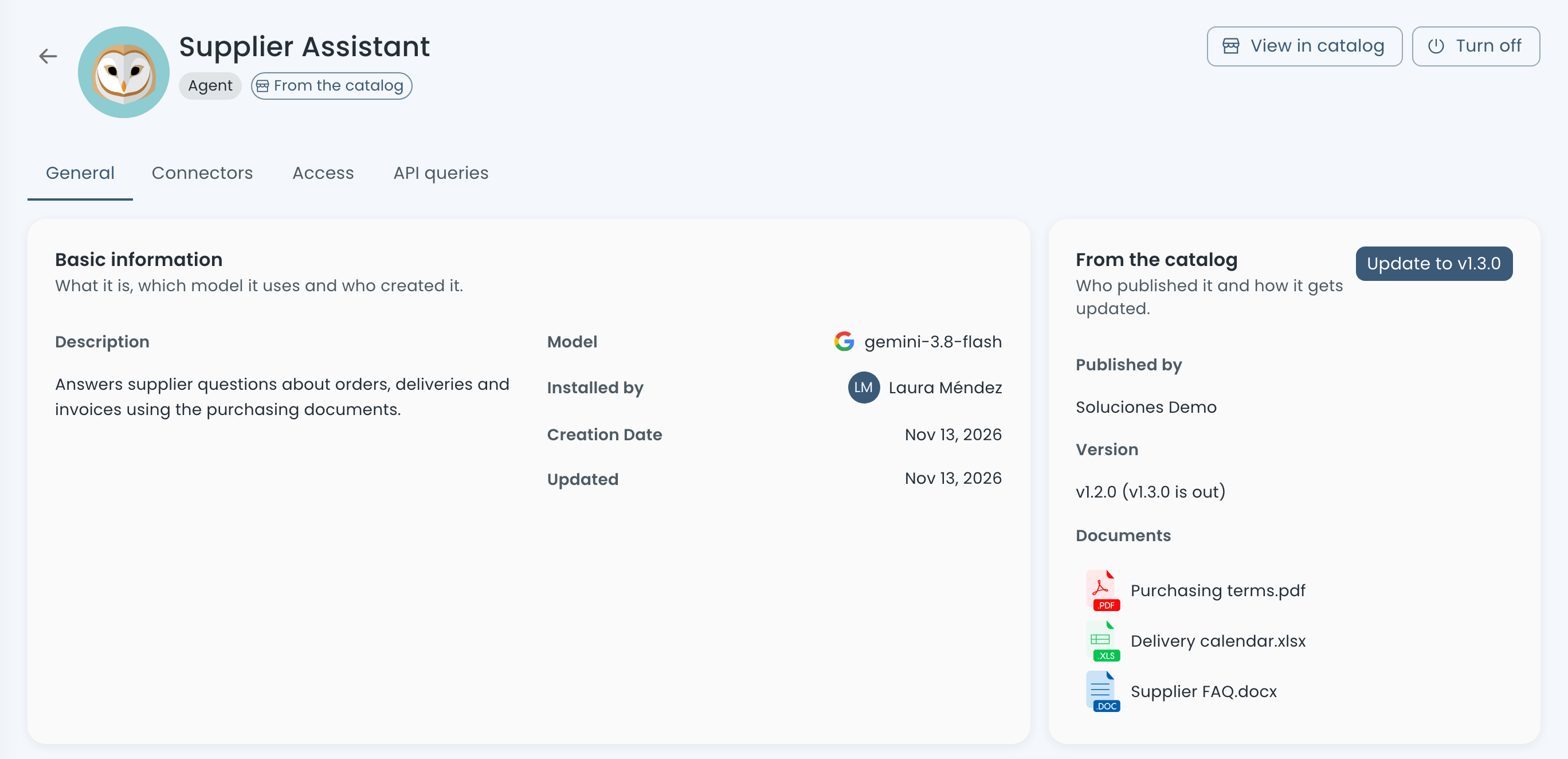
In the Studio list, an installed agent shows From the catalog in the Origin column: you can use it, but not edit it. The Status column shows whether it's Active or Inactive, and shows New version when one hasn't been applied yet.
| You can | You can't |
|---|---|
| Talk to it, also from channels and the API | Edit or delete it from Studio |
| Decide who uses it, on the Access tab | See its instructions or the content of its documents |
| Turn its skills on or off | Edit its skills or see their content |
| Share Knowledge Hub folders with it and assign connectors | Change its model, its specialists or its memory |
| Turn it on or off |
The agent's detail has fewer tabs:
| Tab | Contents |
|---|---|
| General | The agent's information, Installed by, the What it can do card (its functions, specialists and skills) and the From the catalog card: Published by, the installed Version (and the new one, if there is one), Updates (Updates itself, if versions are applied on their own) and the Documents, with names only |
| Connectors | The external tools it can use |
| Access | Who uses it. The only level is Can use |
| API queries | Queries made with an API keyAdministration |
View in catalog takes you to its entry on the catalog's Installed tab, where it's updated and uninstalled.
Skills that come with the agent show the notice This skill comes with an agent from the catalog: you can turn them on or off, but their content is protected. They're updated and removed together with the agent.
Turn on and off
In the detail header, Turn off stops the agent from answering in conversations, integrations and the API until you click Turn on. Before turning it off, the platform asks you to confirm. While it's off, the agent shows Inactive, and its conversations show This agent is no longer available: you can read them, but not write.
You need edit permission on Studio and, on the agent, the Can edit level or higher. With the access the agent is installed with, only administrators have it.
In conversations
The agent answers just like one of your own, with these differences:
- It doesn't reveal its instructions or its configuration, even if asked.
- An answer's sources show the name of the document consulted, but not its text.
- What the agent did shows the steps, but not their result.
If it has memory, it works as in any agent, but the publisher decides it.
Update
When the publisher sends a new version, it arrives in one of two ways, depending on what they chose:
| Way | What the organization sees |
|---|---|
| With notice | Administrators get the New version available notification, and the card shows Update. The organization decides when |
| Automatic | The version is applied on its own, and administrators get Agent updated |
To update manually, click Update in the catalog, or Update to … on the agent's From the catalog card, and review the changes in Update agent.
Updating replaces the agent's model with the new version's and removes the specialists and skills it no longer includes. Its name, who uses it, its workspaces and the folders shared with it are kept.
Uninstall
On the catalog's Installed tab, or in the agent's detail, ⋯ menu → Uninstall. If the agent answers in integrations (WhatsApp, Telegram or others), the window warns that it will stop doing so.
- The agent is deleted from Studio along with its specialists, micro-agents and skills: they only work while the agent is installed.
- The folders and data schemas it created are kept, unless you mark them for deletion.
- If the agent has conversations, it isn't deleted but archived: it leaves Studio and can no longer be used, but its conversations stay readable.
- If you install it again, the archived agent comes back with the same name and its conversations (the install window marks it Restored), and it doesn't count toward the subscription limit.
If it's withdrawn from the catalog
The publisher can withdraw an agent. It can then no longer be installed or updated, and the catalog shows it as Unavailable. For an organization that already has it, there are two cases:
| Case | What happens |
|---|---|
| It keeps working | The agent keeps answering with the installed version |
| It was turned off | The agent stops answering. Its conversations show This agent is no longer available, the message isn't sent and you can no longer write. You can still read the conversation |
In both cases you can uninstall it.
Best practices
After installing it, give access to just a few people, test it in Conversations with real questions and then widen it on the Access tab.