Contacts
Contacts brings together the people and entities (companies or organizations) your organization deals with: customers, suppliers, partners… Each contact has a record with their details, their messaging channels and the conversations they have had.
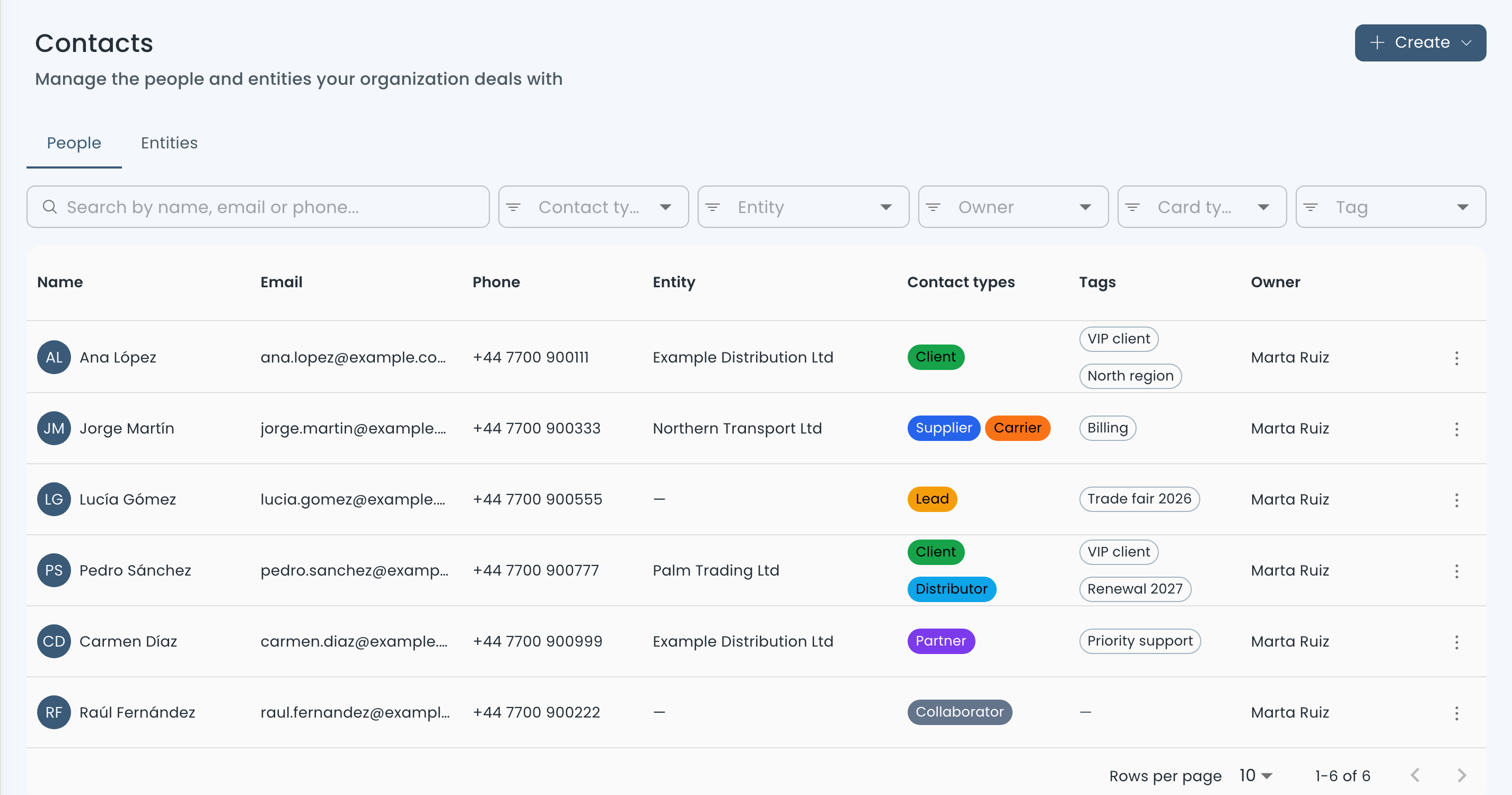
People and entities
The module has two tabs:
| Tab | Content | Filters |
|---|---|---|
| People | Name, email, phone, entity, contact types, tags and owner. People who are also platform users carry the User badge | Search by name, email or phone; Contact type, Entity, Owner, Card type (Users or Contacts) and Tag |
| Entities | Legal name, tax ID, number of members, contact types, tags and owner | Search by legal name, trade name or tax ID; Contact type, Owner and Tag |
Contact types and tags are managed in Settings. See Contact typesAdministration and TagsAdministration.
Creating a contact
Create offers three options:
- New contact: a person. A first name or last name is enough; you can also add an ID document, entities, contact details (email, phone, WhatsApp, Telegram…), addresses, contact types, tags, owner and notes.
- From a user: creates the record from a platform user.
- New entity: a company or organization, to which people are then linked.
When you create a contact, if it looks like an existing one, the platform warns you with This may already exist.
The record
When you open a contact you see two tabs:
- Details: ID document, owner, contact types and tags; contact details; messaging channels; entities they belong to; addresses and notes. Each block is edited separately.
- Activity: the contact's conversations, with their channel (Internal, WhatsApp, Telegram or External app; Telegram · Group if it is a group) and their status (Pending, In progress or Resolved), and the teams handling them.
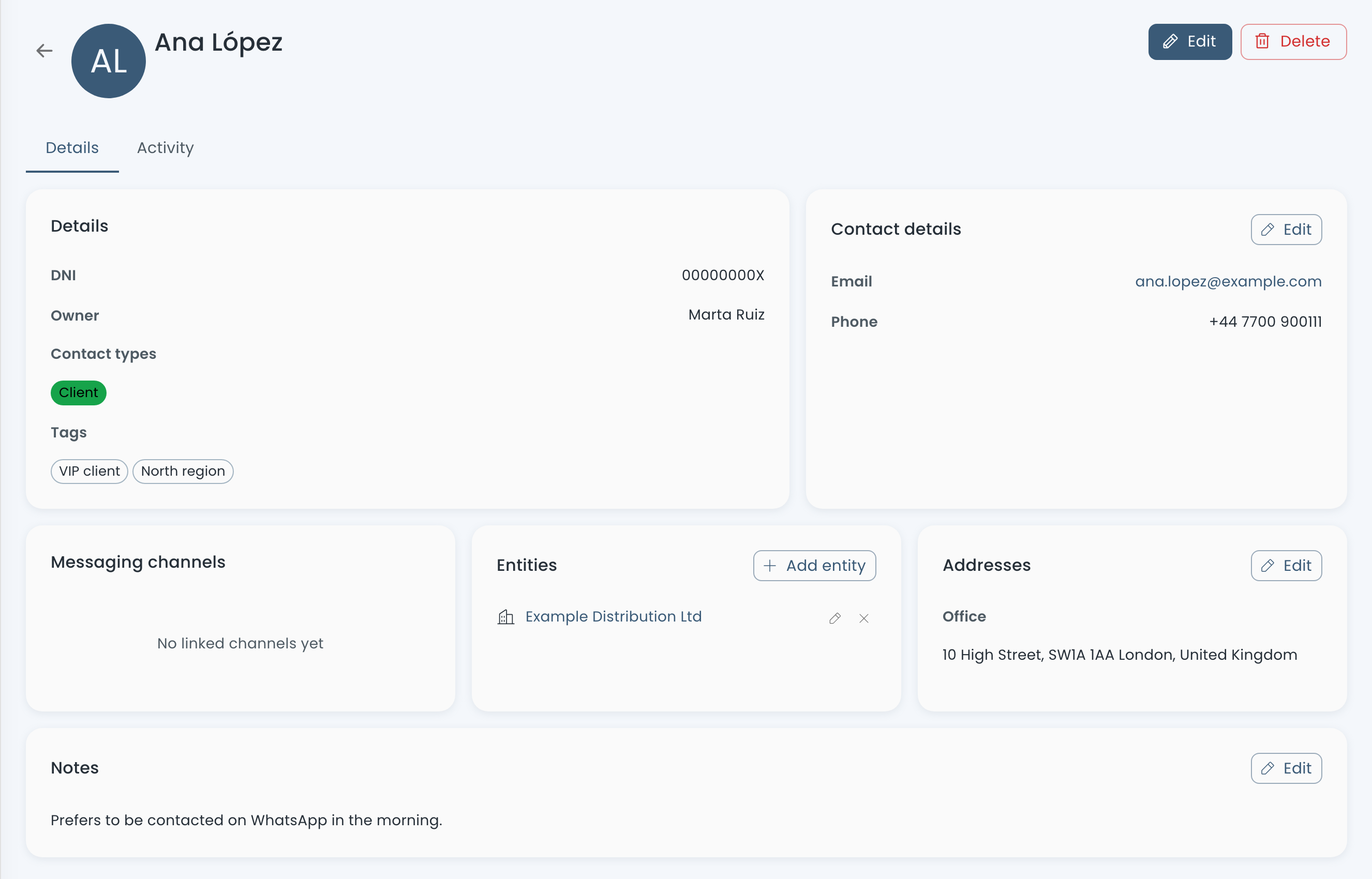
An entity's record shows its Details and its Members. When you delete an entity, its people remain.
Contacts and conversations
When a conversation arrives through WhatsApp, Telegram or an external app, the platform tries to recognize the contact. If it finds a similar one, the conversation shows Is this …? with Yes, that is them or Not now. You can also link it with Assign contact, in More options in the conversation header. Telegram groups are not linked to any contact. See Channels and human support.
Limits
The subscription sets the maximum number of people and entities. See Credits and limitsAdministration.