Users
In Settings → Users you manage the people who have access to the organization: you invite them, assign them a role and activate or deactivate them.
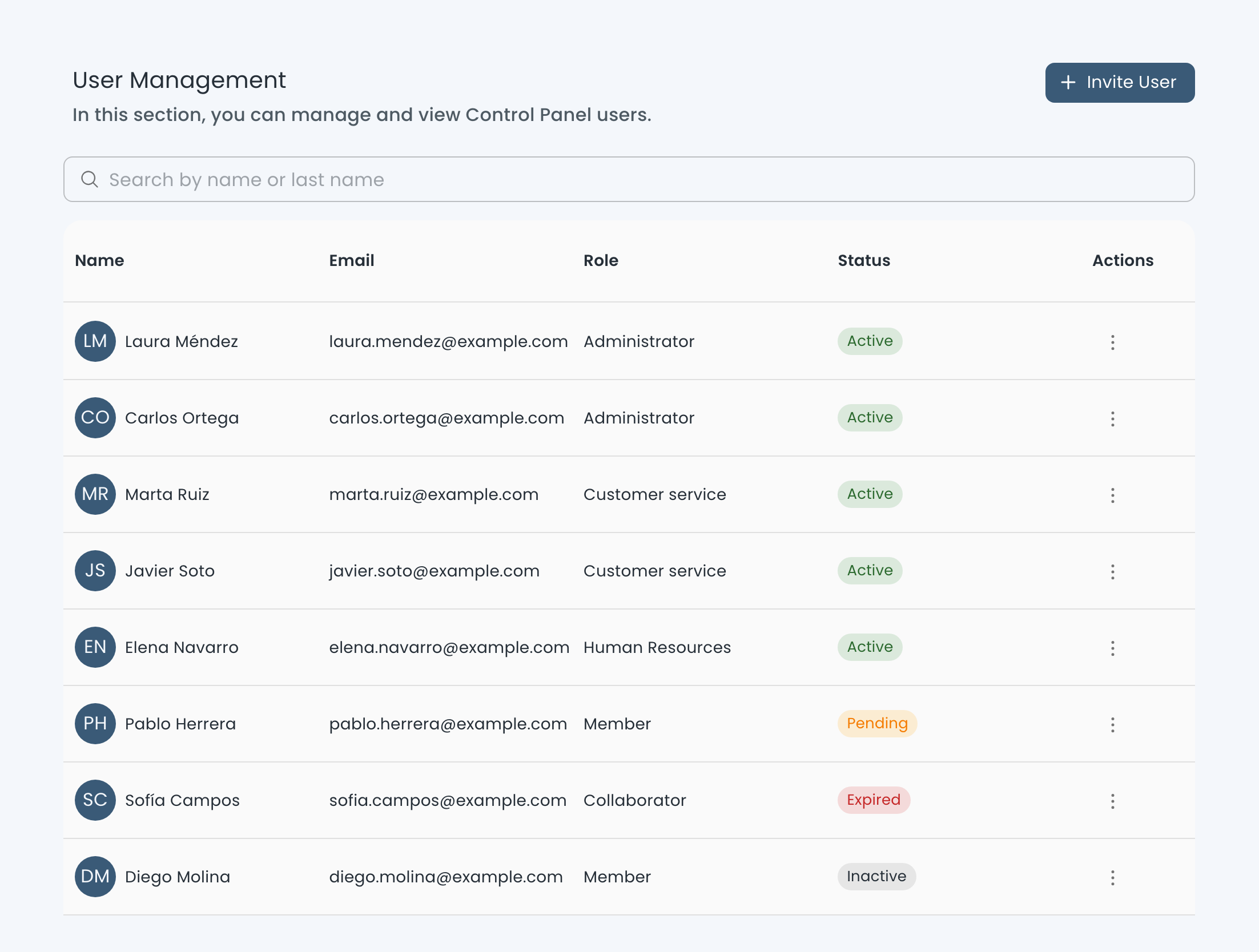
The list
Each person appears with their Name, Email, Role, Status and Actions. The Search by name or last name field filters the list.
| Status | Meaning |
|---|---|
| Active | Can enter the organization |
| Inactive | Deactivated: cannot enter |
| Pending | Invited; has not accepted the invitation yet |
| Expired | The invitation expired without being accepted |
Invite a person
- Click Invite User.
- Fill in the four fields, all required:
- Name and Last Name: between 2 and 64 characters, letters and spaces only.
- Email.
- Select role: the description of the chosen role is shown below it. See Roles.
- Click Send invitation.
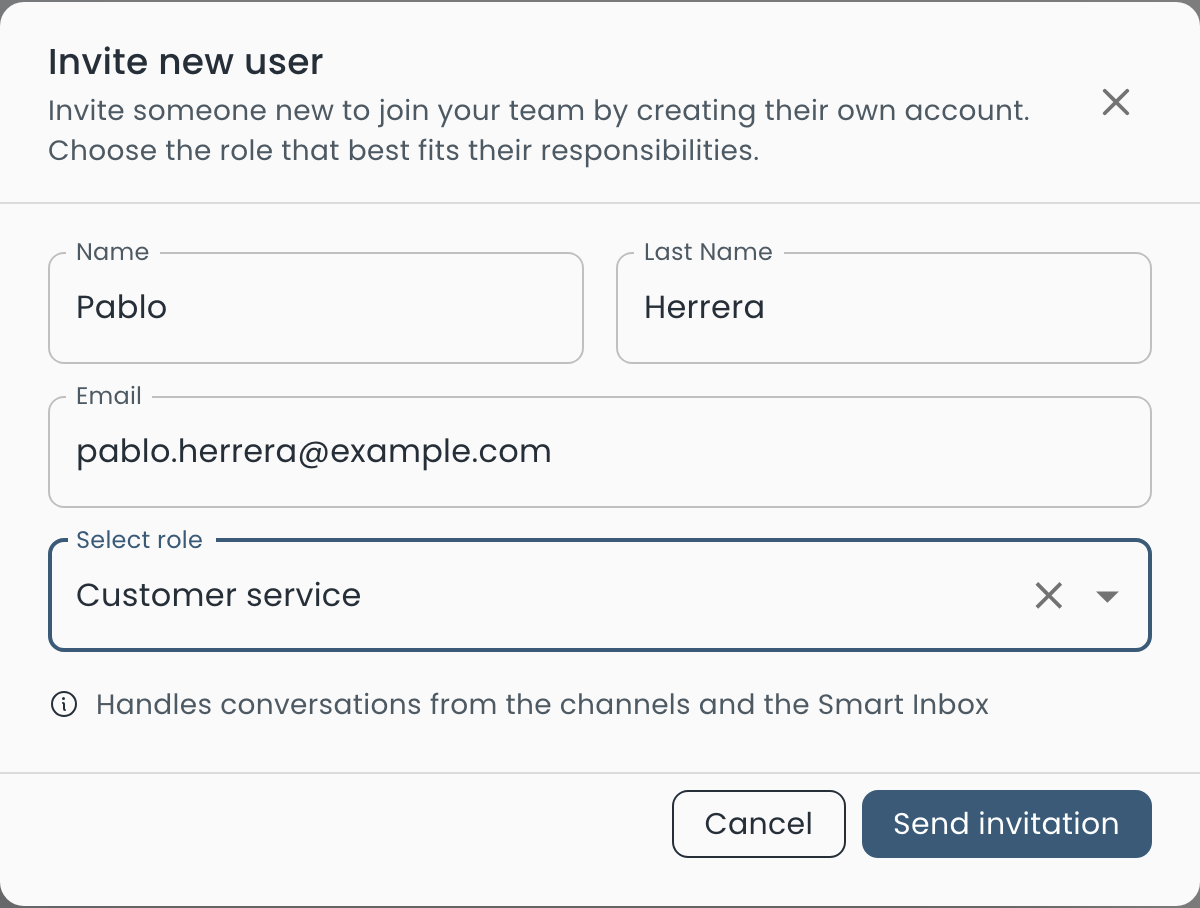
The person receives an email with a link to create their account and choose their password. Until they do, they appear as pending.
If the email already has a ConsulPoint account in another organization, the person is added directly as active and receives an email telling them they have joined a new organization. They log in with the password they already had.
To invite people, the organization needs an active subscription. The subscription sets the maximum number of active users; pending invitations do not count. When you reach the maximum, the platform shows You've reached your subscription's limit with the Upgrade subscription option.
Actions
The actions available for each person depend on their status:
| Action | Status | What it does |
|---|---|---|
| Change role | Active | Assigns another role in Role Type, confirmed with Save |
| Deactivate user | Active | The person can no longer enter. Their data is kept |
| Activate user | Inactive | Lets them enter again |
| Send reminder | Pending | Sends the invitation email again |
| Resend invitation | Expired | Sends a new invitation |
| Delete user | Pending or expired | Withdraws the invitation |
People who have already accepted the invitation are not deleted: they are deactivated.
A role change can take up to 10 minutes to apply to a person who has a session open.