Subscription
In Settings → Subscription you see the organization's subscription and its credits, and you request a new one. Subscriptions are not paid from the platform: you request them, and the ConsulPoint team gets in touch to activate them.
It has two parts: Overview and Subscriptions.
Overview
The overview is split into four tabs.
My subscription
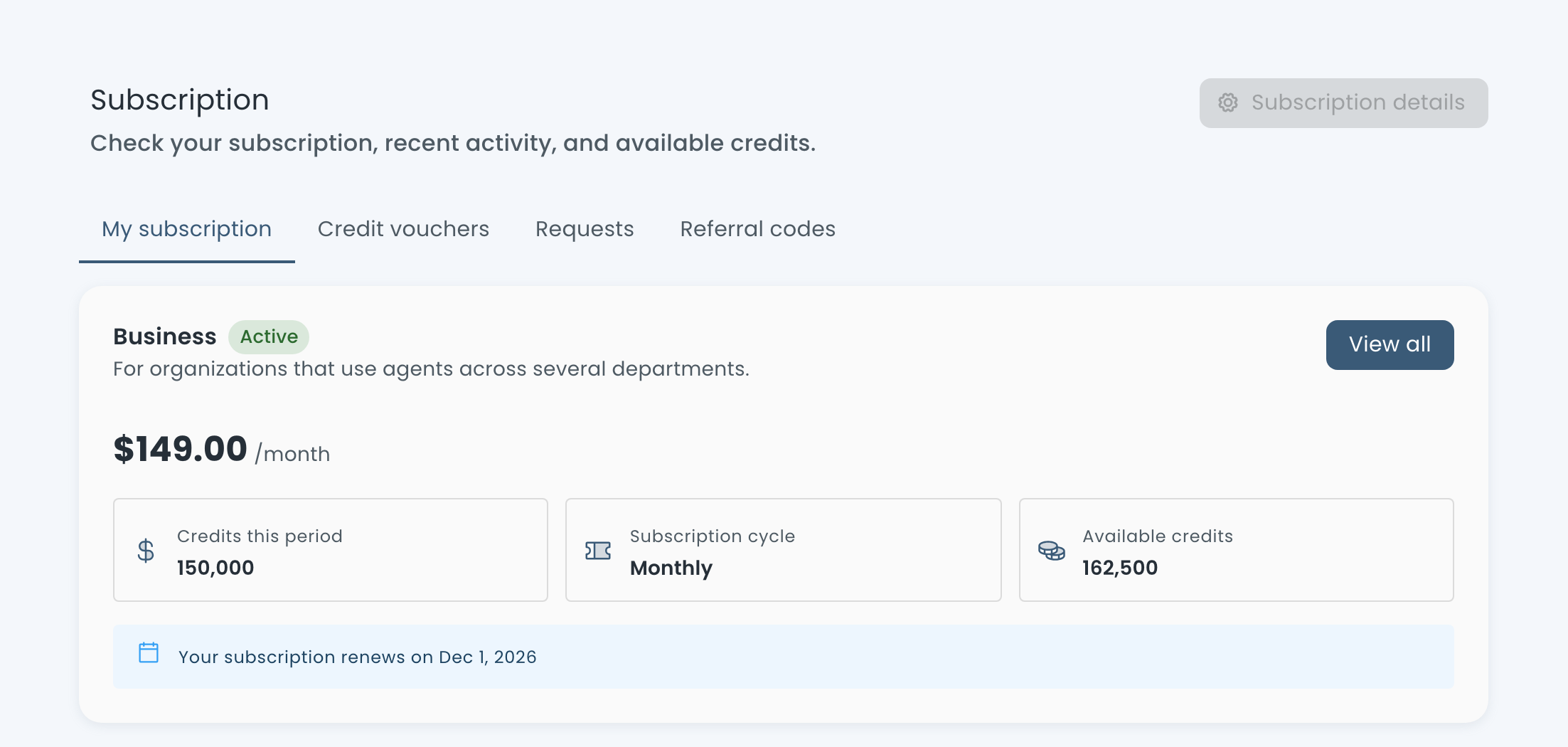
It shows the current subscription and its price, monthly or yearly. If a discount code was applied, the original price appears crossed out next to the code. Below it you see three items:
| Item | Meaning |
|---|---|
| Credits this period | The credits the subscription gives in each cycle |
| Subscription cycle | Monthly, Yearly or Trial |
| Available credits | The credits the organization has left |
It also shows when the subscription renews. View all opens the details: the start and end of the period, the discount applied and, under Includes, the maximum for each resource in the subscription (or Unlimited).
Current usage against those maximums is shown in Audit & Reports. What happens when you reach a maximum, or run out of credits, is explained in Credits and limits.
Credit vouchers
Credits come in vouchers, and each voucher expires on a date. Each subscription cycle generates a voucher with the credits for the period, which expires at the end of the cycle. ConsulPoint can also assign additional vouchers.
The tab shows each voucher with the credits used out of the total and its expiry date, and you can filter by Available, Expired or Used.
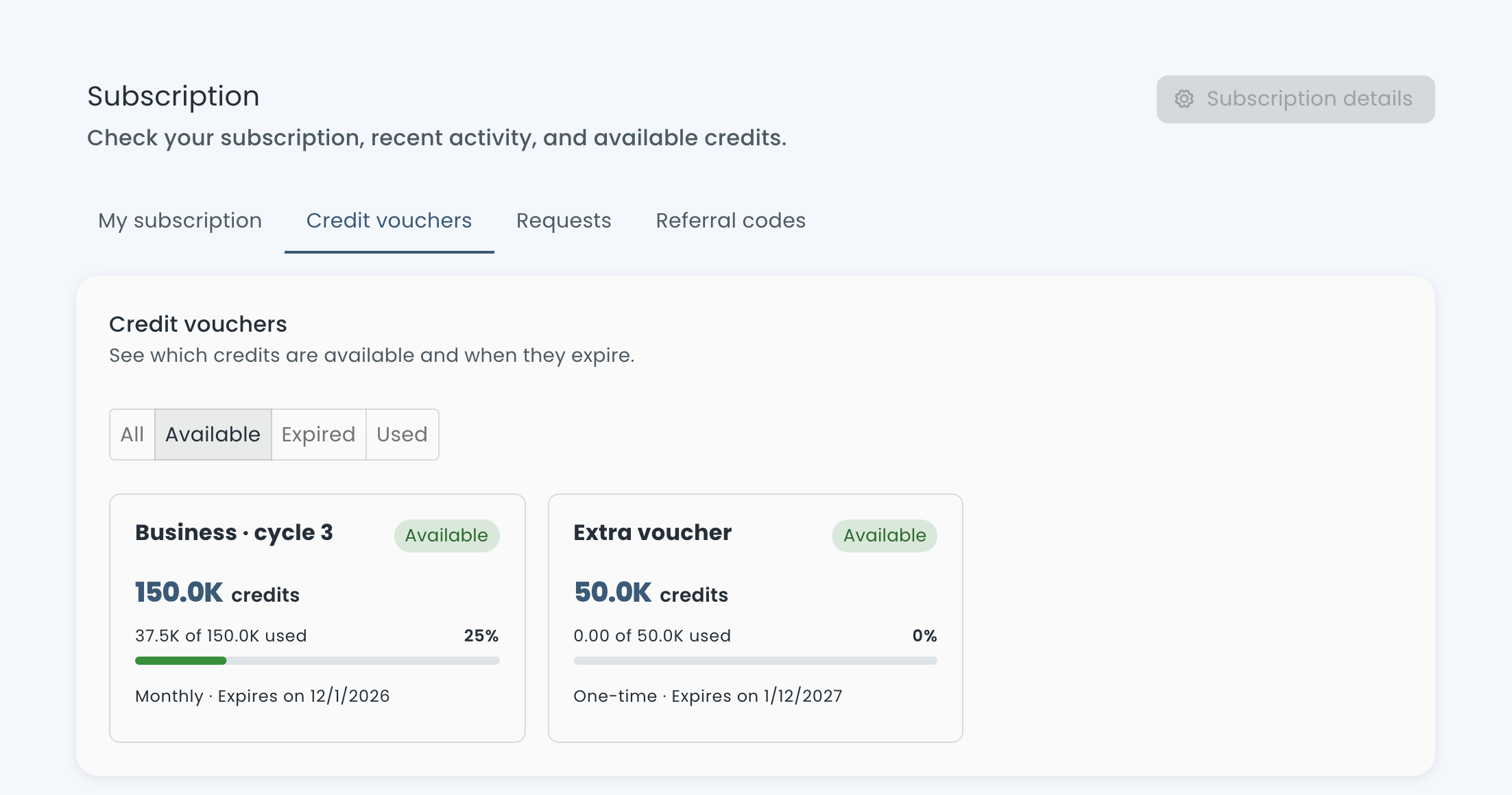
When the subscription changes, the vouchers from the previous one are deactivated.
Requests
The organization's subscription requests, with their status: Pending, Approved, Rejected or Cancelled. A pending request can be withdrawn with Cancel request.
Referral codes
The discount codes ConsulPoint assigned to the organization, with their discount, how many times they have been used and whether they are still active.
Subscriptions
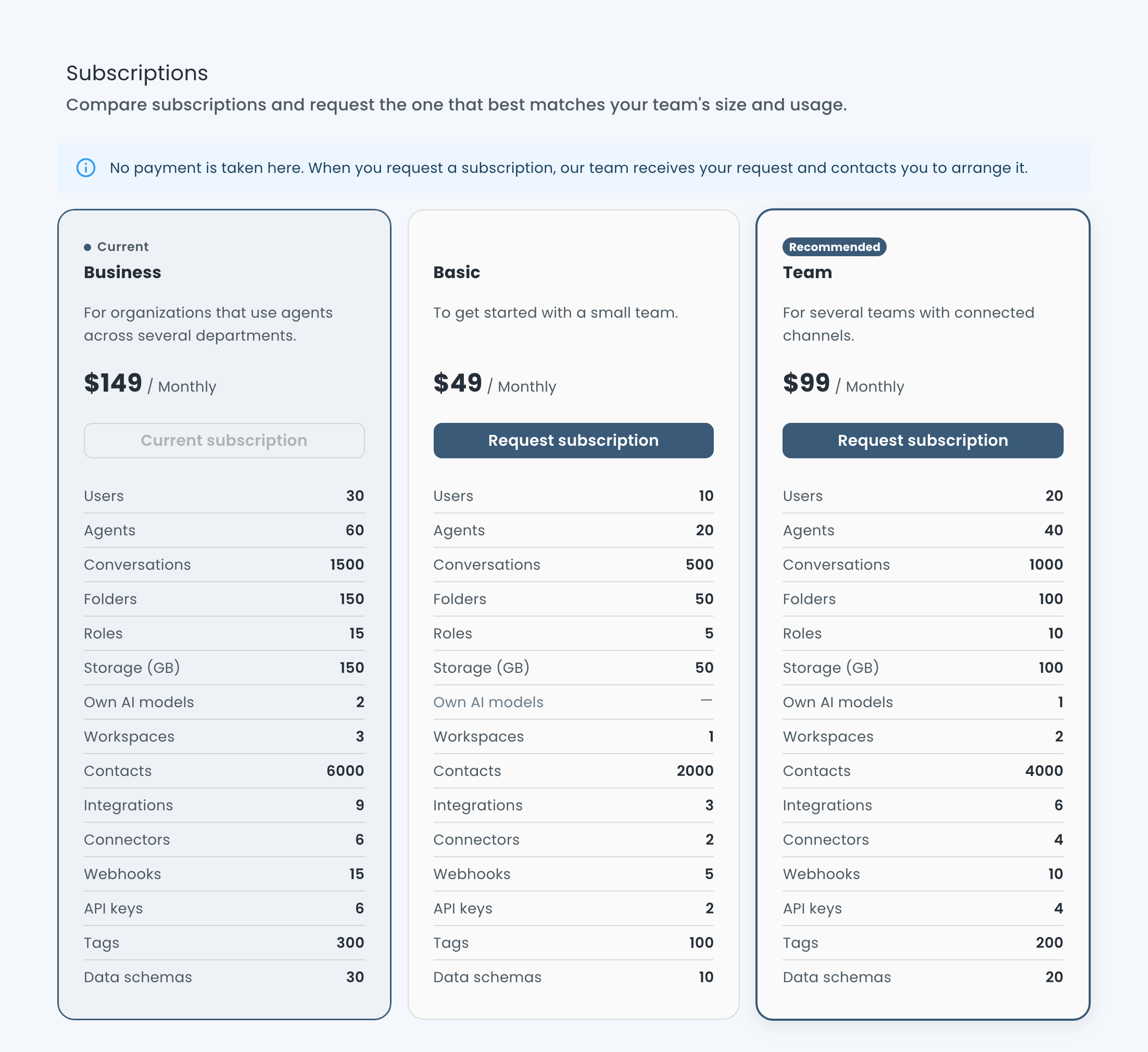
Each subscription shows its price, whether it is monthly or yearly, and what it includes: the maximum for each resource, Unlimited or Not included. The current one has the Current label.
Request a subscription
- On the subscription you want, click Request subscription.
- Optionally, write a Note for the team (up to 500 characters) and a Discount code. With a valid code you see the list price, the discount and the final price.
- Click Send request.
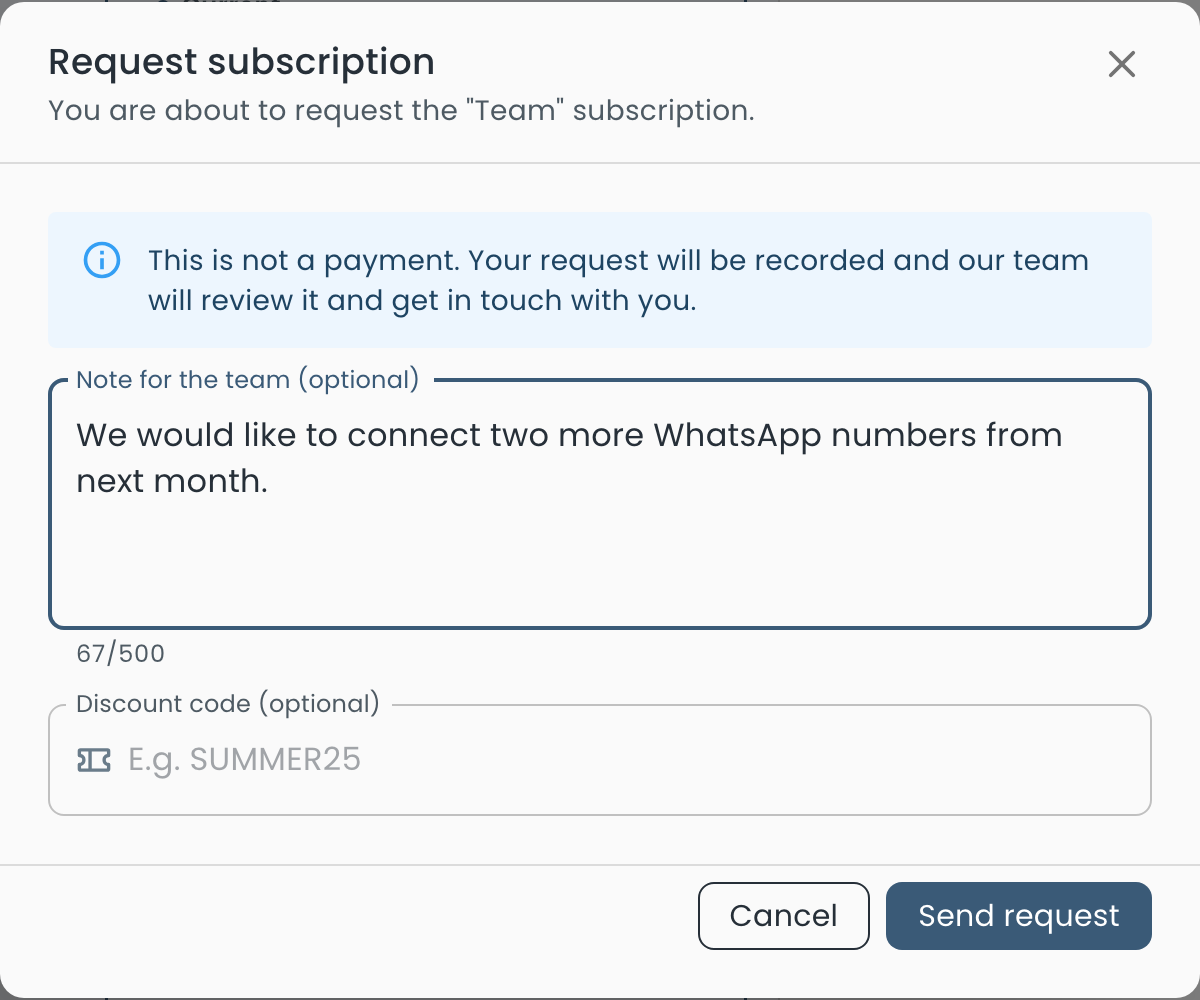
The request is not a payment. The ConsulPoint team reviews it and gets in touch with the organization. When it is approved, administrators receive the Subscription request approved notification, the subscription becomes active and the credit voucher for the new cycle is generated.
There can only be one pending request at a time: to ask for another subscription, you first have to cancel the one under review.