Roles
A role defines what a person can do in each module of the platform. Each person has one role in the organization, chosen when you invite them and changeable later with Change role.
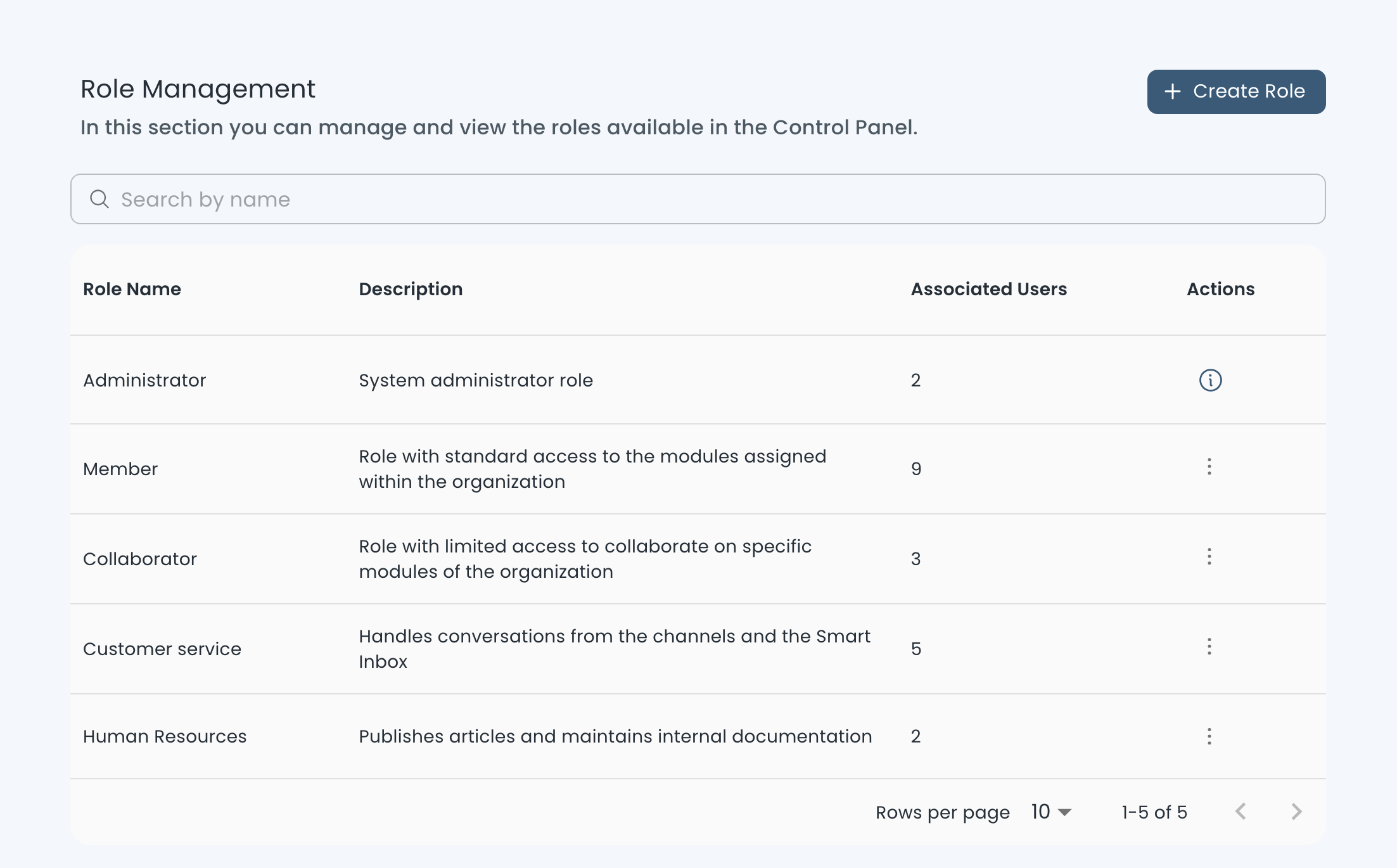
Default roles
New organizations start with three roles:
| Role | Description |
|---|---|
| Administrator | Full access, including the Settings sections reserved for administrators. Cannot be edited or deleted |
| Member | Standard access to the assigned modules. Can be edited and deleted |
| Collaborator | Limited access to collaborate in specific modules. Can be edited and deleted |
Permissions
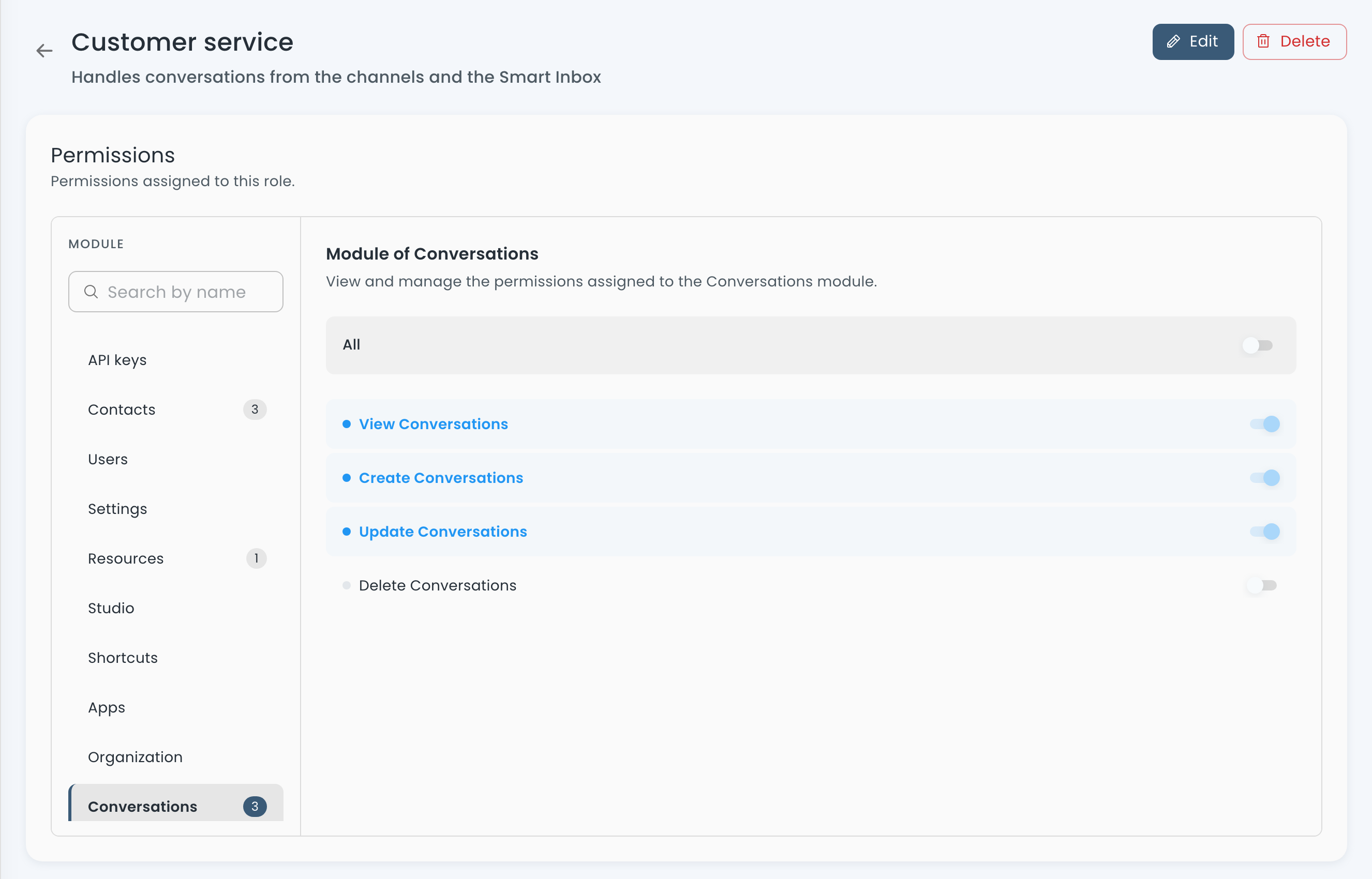
For each module, a role has four permissions:
| Permission | What it allows |
|---|---|
| View | Open the module and see its content. Without it, the module does not appear in the menu |
| Create | Create new items |
| Edit | Change existing ones |
| Delete | Delete them |
The All switch turns a module's four permissions on or off at once. The list of modules and the sections that require being an administrator are in the Permissions matrix.
The role is only one part of access: each folder, agent or conversation also has its own people with access. See Platform overviewUser guide.
Create a role
- Click Create Role.
- In Create new role, type the Role name (between 2 and 20 characters, not the same as another role's) and, if you want, a Description (up to 800 characters).
- Click Next. The role is created, still without permissions.
- In Assign permissions, turn on at least one permission and click Save Permissions.
The subscription sets the organization's maximum number of roles, and the three default roles count.
Edit and delete
- Edit opens Role information (name and description) and Permissions. Changes are saved with Save changes.
- Delete is only possible if nobody has that role. If someone does, the platform shows Cannot delete role: you have to change those people's role first.
A permission change can take up to 10 minutes to apply to people who have a session open.