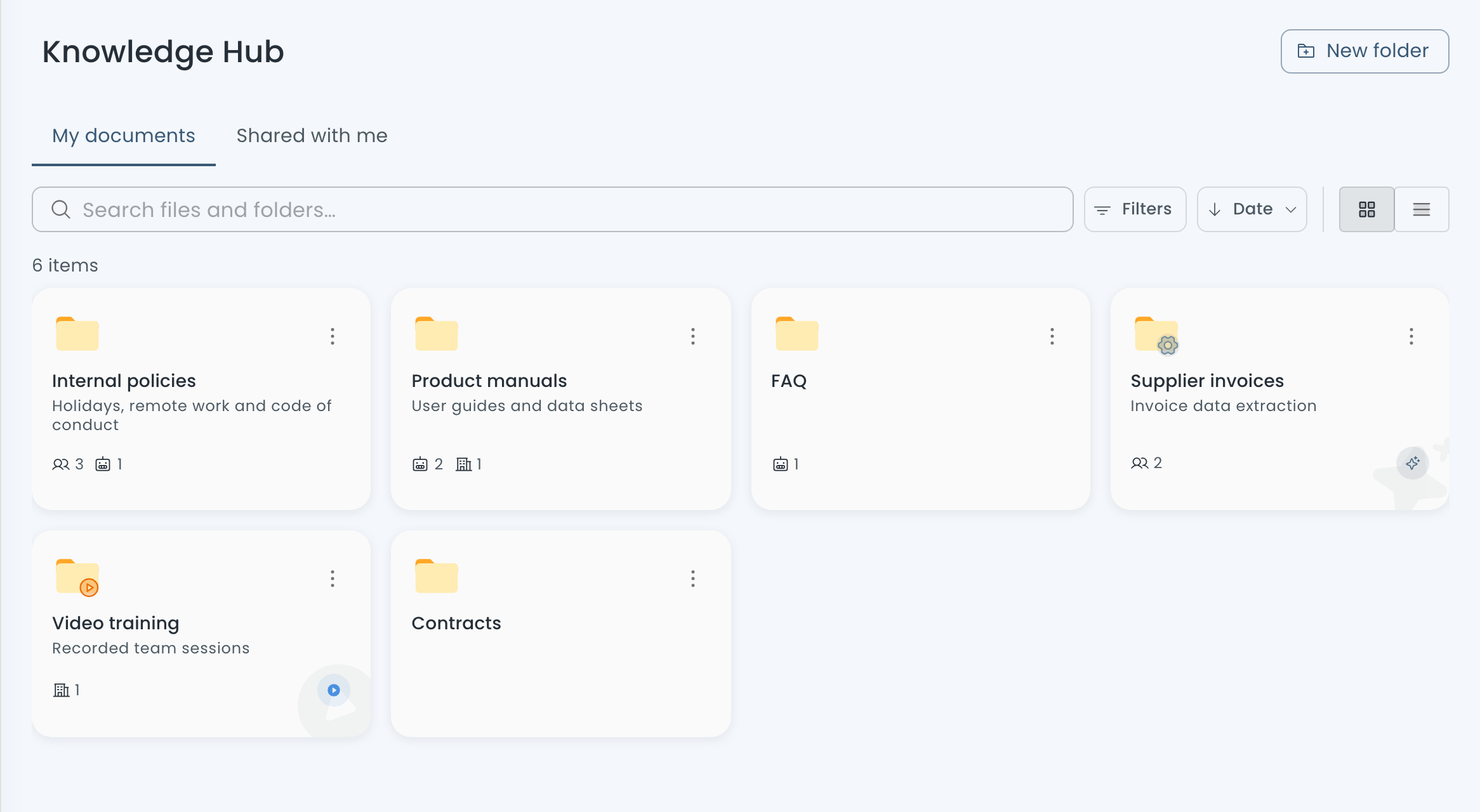
Knowledge Hub
The organization's document repository, organized in folders. It is the source the agents read from: an agent only answers with the content of the folders shared with it.
This section does not require any programming knowledge.
How a document reaches an agent
- Upload the file to a folder.
- Share the folder with the agent. The order of these two steps does not matter.
- The platform prepares each file so the agent can read it: it extracts the text, splits it into passages and indexes it so it can be searched by meaning. This happens on its own and takes a few minutes.
- During a conversation, the agent searches that content for the passages related to each question and answers with them.
Uploading is not enough
A file in a folder that is not shared with any agent is stored, but no agent reads it. See Agent knowledge.
The two tabs
| Tab | Content |
|---|---|
| My documents | The user's own folders and files |
| Shared with me | What other people share with the user |
My documents only appears for roles with edit permission on Knowledge Hub. With the default roles, users and collaborators only see Shared with me. Inside a workspaceAdministration there is no My documents either: content arrives shared.
Folder types
You choose it when you create the folder, and it cannot be changed later.
| Type | What it is for |
|---|---|
| Standard | Any type of document. It is the usual option for giving knowledge to agents |
| Smart Extract | An agent extracts data from each document uploaded and stores it, for example from invoices or forms. See Smart Extract |
| Multimedia | YouTube videos and audio, from which the transcript is obtained. See Multimedia |
Where to start
| I want to… | Page |
|---|---|
| Create folders, search, move or delete content | Folders and files |
| Upload documents and know which formats are supported | Upload documents |
| Have an agent answer with my documents | Agent knowledge |
| Adjust how agents search a folder | Agents' search |
| Update the documents after a change | Update the documents |
| Share the same search settings across folders | Search profiles |
| Give access to other people or to a workspace | Sharing and permissions |
| Get data from invoices, delivery notes or forms | Smart Extract |
| Work with YouTube videos or audio | Multimedia |
| Solve a problem | Common issues |
Best practices
Document organization
- One folder per topic, instead of a single folder with everything. This lets you share with each agent only what it needs.
- Start with the most consulted documentation: FAQs, catalogs, policies and manuals.
- Remove outdated documentation. An agent repeats an outdated document with the same confidence as a current one.