Smart Inbox
The Smart Inbox shows the email from connected accounts (Gmail, Outlook or any IMAP account) inside ConsulPoint. With email rules, it picks out the emails that matter, saves their attachments to the Knowledge Hub and analyzes them with AI to get a summary, the key data and the pending actions.
This section does not require any programming knowledge.
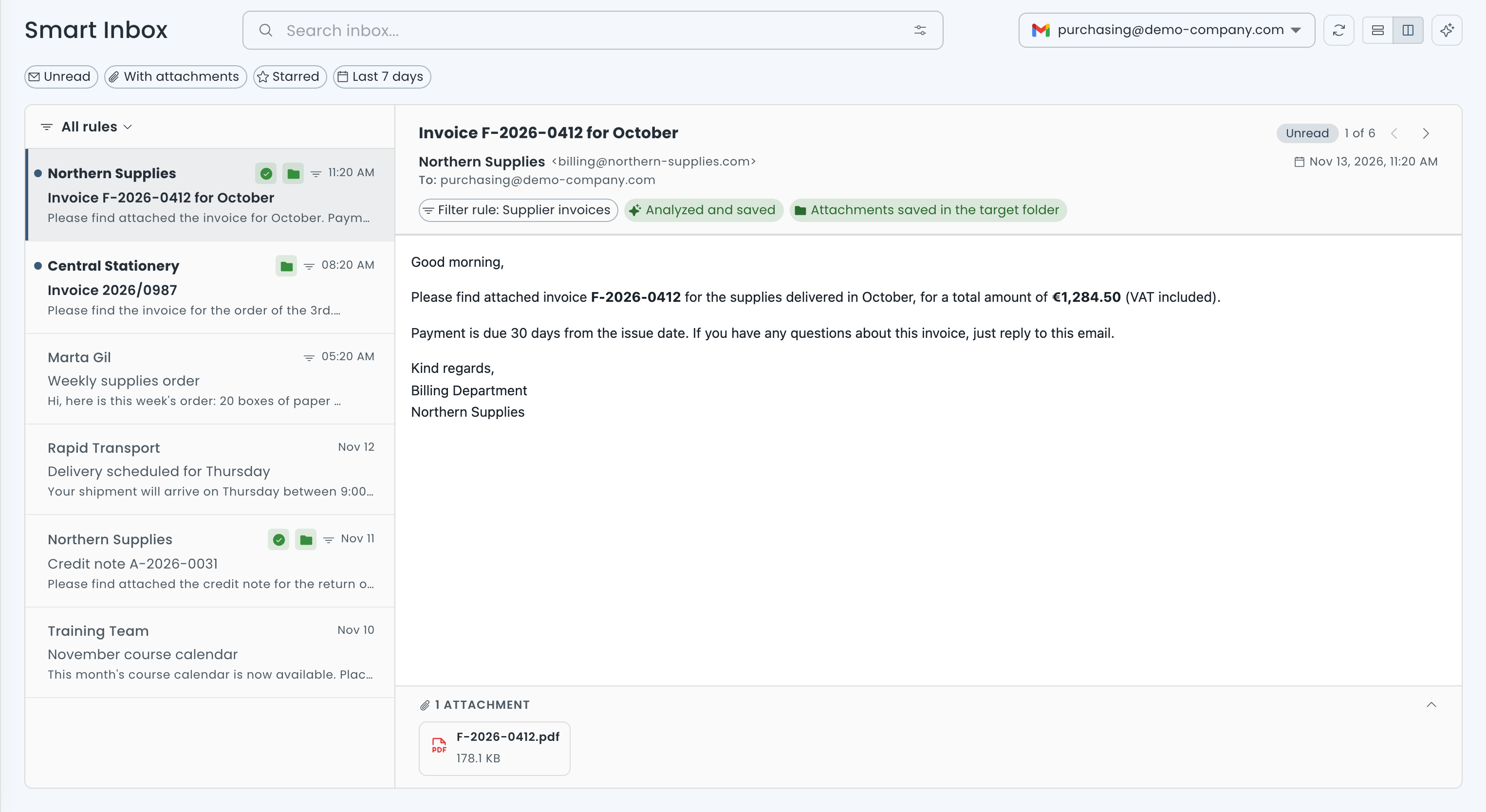
The Smart Inbox works with email. WhatsApp and Telegram conversations are handled from Conversations. It also does not send or reply to emails: you keep doing that from your usual email program.
How it works
- You connect an email account in Settings. See Connect an account.
- You create a rule that says which emails matter (by sender, domain or subject words) and what to do with them. See Email rules.
- The attachments of those emails are saved to a Knowledge Hub folder.
- A micro-agent analyzes each email and generates a summary, which can also be saved to a folder. See AI analysis.
Once in the Knowledge Hub, those documents can be shared with agents so they can answer with them.
Saving attachments and analyzing emails is started from the platform, one email at a time or in batches (Process attachments, Analyze pending). The Smart Inbox does not check the mailbox on its own in the background.
Where to find it
In the top bar, the inbox icon opens the Smart Inbox. It only appears for people with permission on it.
Rules are managed in Settings → Email rules, and email accounts in Settings → Connectors.
The Smart Inbox is not available inside a workspaceAdministration: you use it from the main organization.
Where to start
| I want to… | Page |
|---|---|
| Connect my email account | Connect an account |
| Search and read emails in the platform | Read email |
| Automatically save attachments from certain senders | Email rules |
| Get summaries and data from emails | AI analysis |
| Solve a problem | Common issues |