Your account
Each person manages their account from the user menu: the name and photo in the top-right corner. No permission is needed.
User menu
| Option | What it does |
|---|---|
| The account's email, at the top of the menu | |
| Account Settings | Opens your personal details and password. See below |
| Change appearance | Turns dark mode on or off |
| Change language | Spanish or English |
| Log out | Leaves the platform |
Theme and language are saved in the browser: on another computer or browser you have to choose them again.
Account Settings
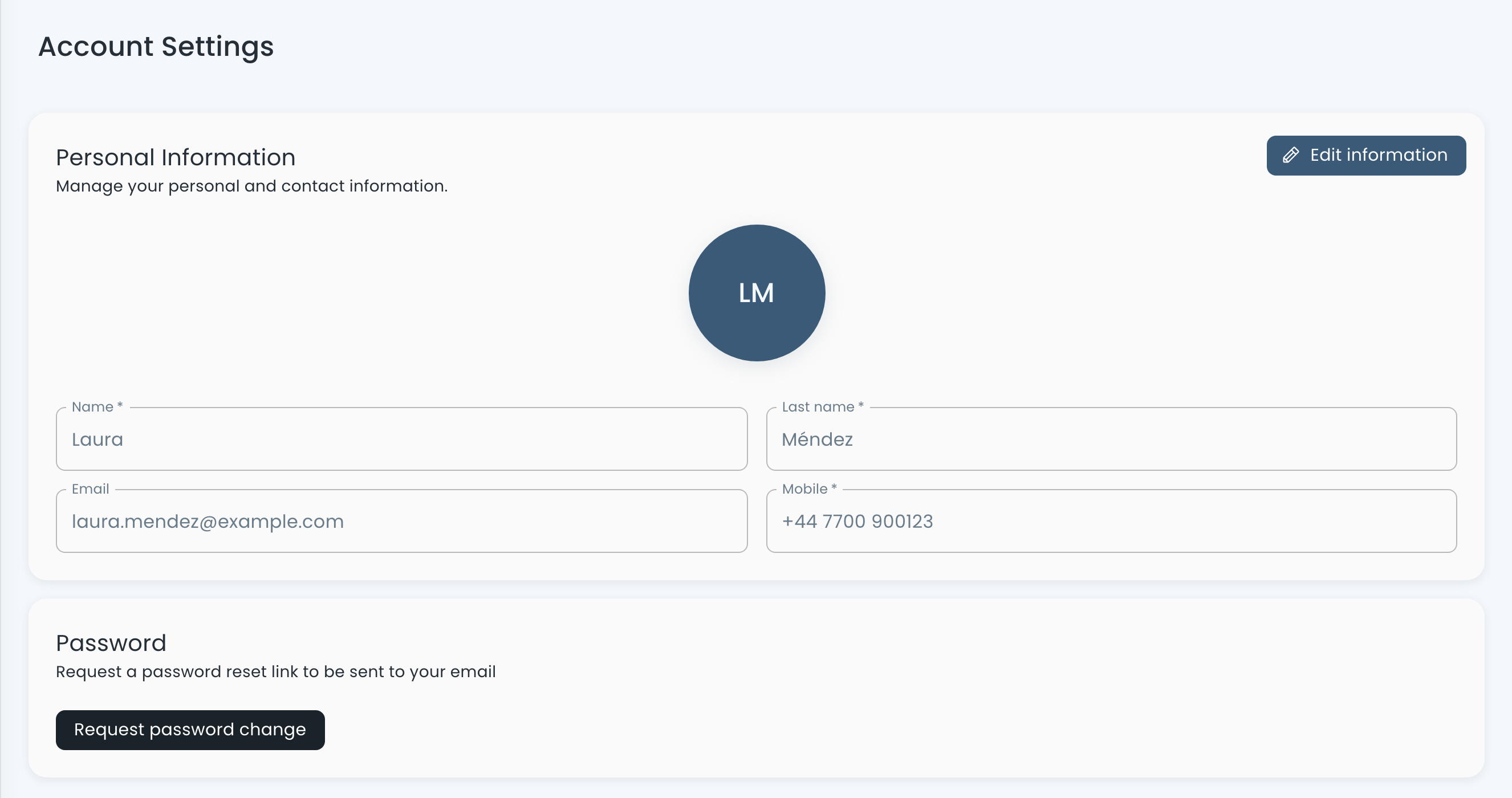
Personal Information
Edit information lets you change:
| Field | Description |
|---|---|
| Photo | JPG, JPEG, PNG or WEBP, up to 500 KB. Upload photo or drag it in; Remove photo removes it and Undo brings back the previous one before saving |
| Name and Last name | Between 2 and 50 characters |
| Cannot be changed | |
| Mobile | Contact number |
Finish with Save changes. The name and photo are what other people in the organization see, for example in shared conversations.
Password
Request password change sends a link to the account's email to choose a new password, the same as Reset the password. The password is not changed inside the platform.
Log out
Log out, at the bottom of the menu, leaves the platform in that browser and stops browser notifications there. Other sessions open on other devices stay active.
On a computer used by several people, it is best to log out when you finish.