Webhooks
A webhook automatically notifies an external system when something happens in ConsulPoint: ConsulPoint sends the event data to an address (URL) of that system. You manage them in Settings → Webhooks.
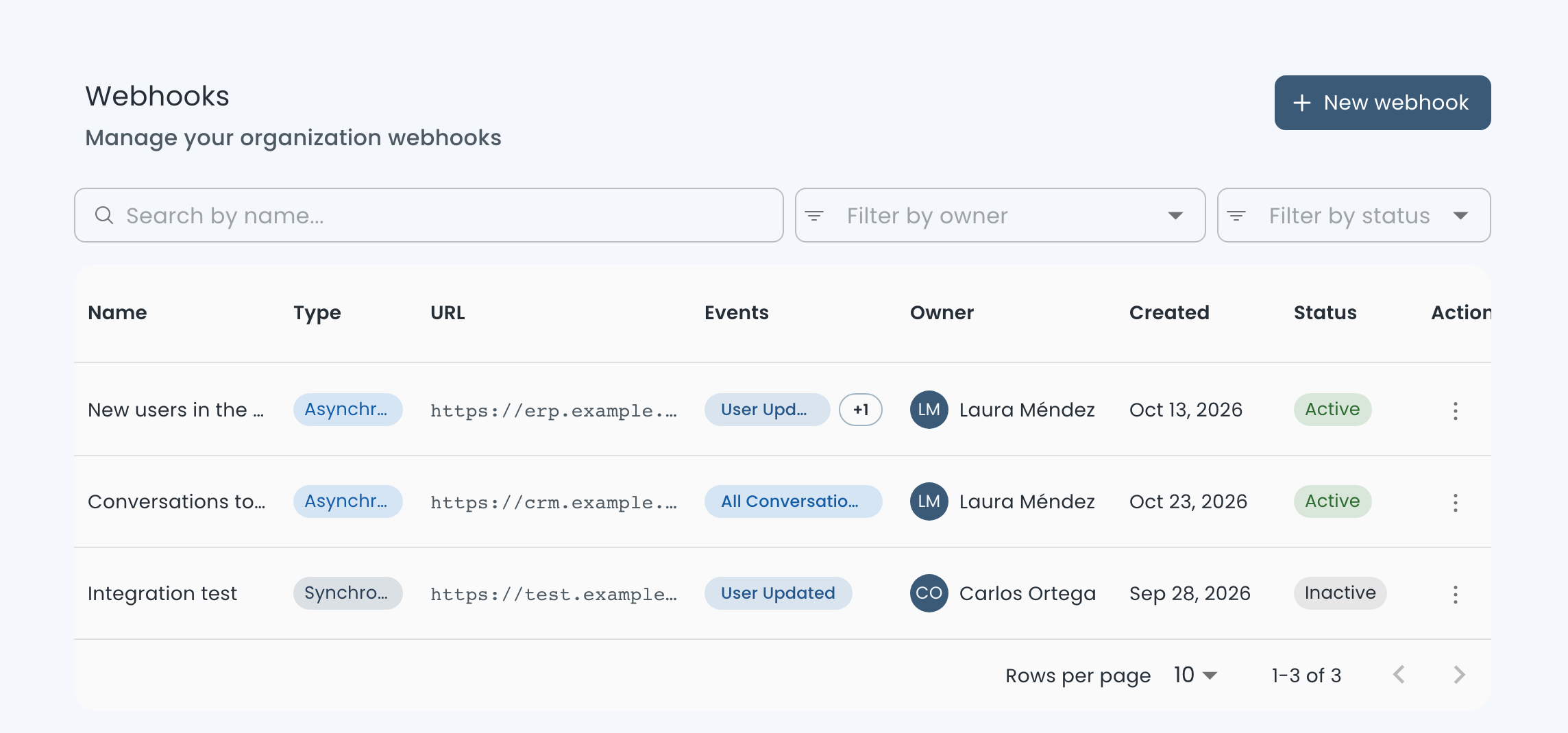
The list
Each webhook shows its Name, Type, URL, Events, Owner, creation date and Status (Active or Inactive). You can search by name and filter by owner and by status.
| Action | What it does |
|---|---|
| View details | Shows the description, the URL, the owner, the type, the events and the dates |
| Edit | Changes its details |
| Activate / Deactivate | An inactive webhook sends nothing |
| Delete | Only possible if it has been deactivated first |
Create a webhook
Click New webhook and fill in:
| Field | Content |
|---|---|
| Name | Required, between 3 and 50 characters |
| Description | Optional; if you fill it in, between 10 and 255 characters |
| URL | Required. The address of the external system that will receive the notifications |
| Type | Synchronous, Asynchronous or Queue. By default, Asynchronous. See Types |
| Events | The occurrences that trigger the notification. See the table below |
| Conversation | Only with Specific Conversation Updated: the conversation that triggers it |
New webhooks are created active. The subscription sets the maximum number of webhooks. See Credits and limits.
Events
| Event | When it is sent |
|---|---|
| User Updated | When a user's details are changed |
| User Deleted | When an administrator deletes a user |
| All Conversations Updated | When an agent replies in any conversation of the person who creates the webhook. It does not include other people's conversations |
| Specific Conversation Updated | When an agent replies in the conversation chosen in Conversation (one belonging to the person who creates the webhook) |
What is sent
Each notification is a POST to the URL, with a JSON body:
{
  "event": "conversation.updated.chat.clx0abc123",
  "tenantId": "clx0org001",
  "data": { "...": "..." },
  "timestamp": "2026-11-12T10:15:00.000Z"
}
| Field | What it is |
|---|---|
event | The event. In conversation events it includes the identifier of the user or the conversation (conversation.updated.user.… or conversation.updated.chat.…) |
tenantId | The organization's identifier |
data | In user events, the user's data. In conversation events, the full conversation with its messages and the agent handling it |
timestamp | The time of the notification |
- Notifications are not signed: the external system cannot check with a signature that they come from ConsulPoint. Use a hard-to-guess URL served over HTTPS.
- ConsulPoint waits 10 seconds at most for the response. If the destination does not respond or fails, the notification is not retried.
- A conversation notification includes all its messages: it may contain personal data.
Types
You choose the type when you create the webhook. Today, in practice, all three behave the same: the notification is sent in the background and does not delay the operation that triggers it. Queue works like Asynchronous.