AI Providers
In Settings → AI Providers you can see the AI models available to the agents and register the organization's own models: models connected through the organization's account with an AI provider, which don't use ConsulPoint credits.
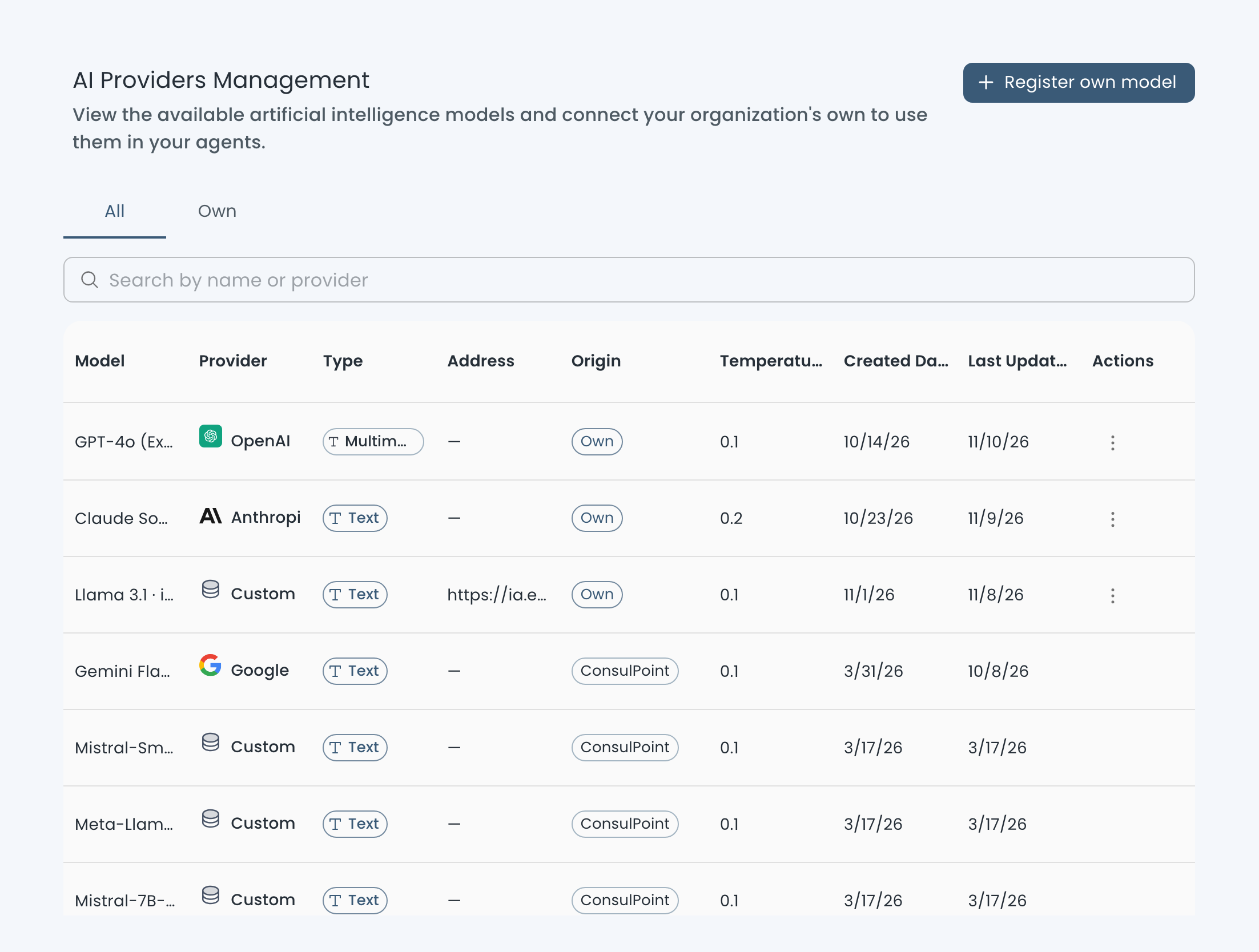
The list
Each model shows its Provider, its Type, its default Temperature and its Origin:
| Origin | Meaning |
|---|---|
| ConsulPoint | Models offered by the platform. They use credits |
| Own | Models registered by the organization with its own key. They don't use credits |
The All and Own tabs filter the list; they appear when the subscription includes own models or one is already registered.
Register an own model
The subscription has to include Own AI models; if it doesn't, the screen says so with Your subscription doesn't include own AI models. See Credits and limits.
-
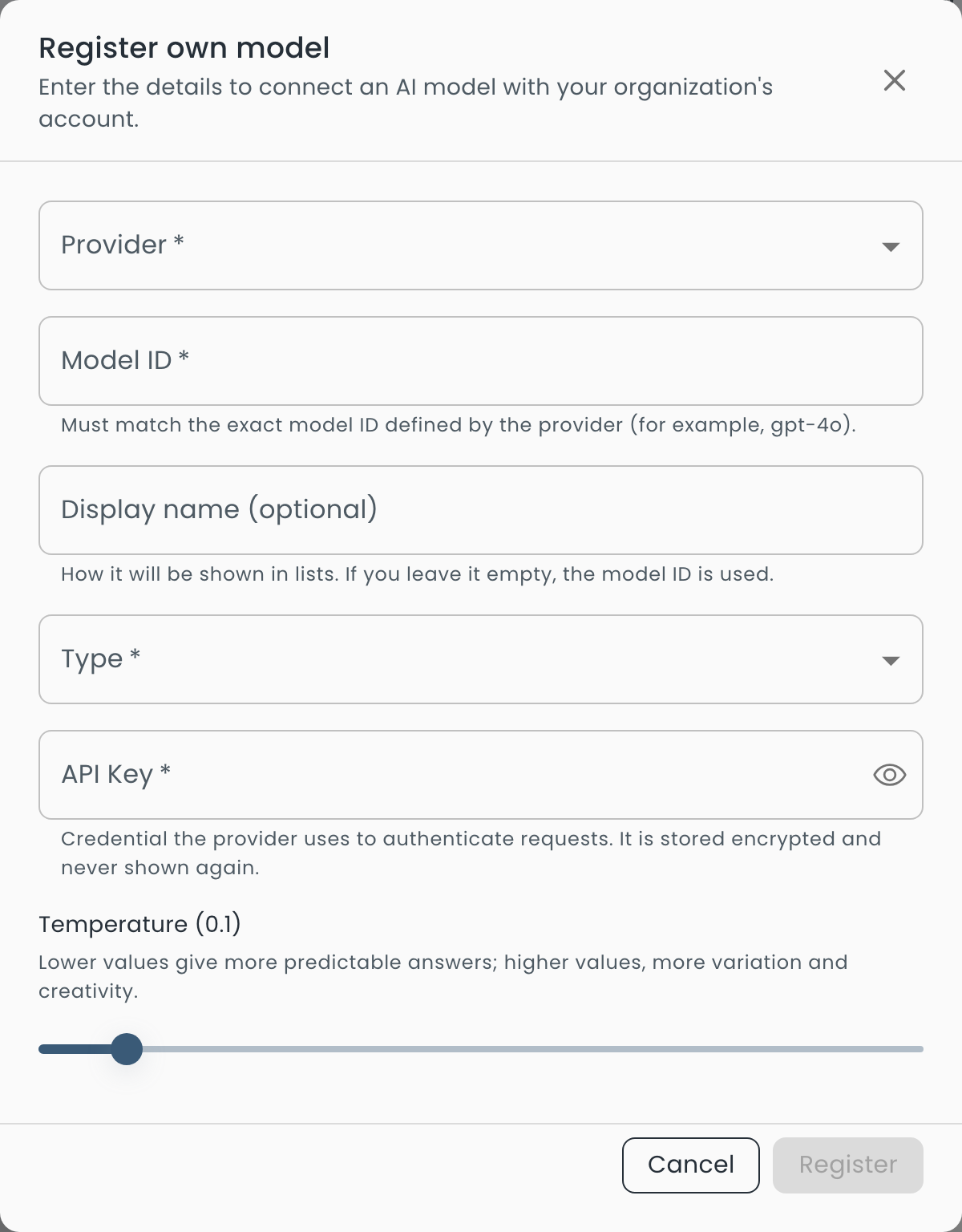
Click Register own model.
-
Fill in the fields:
Field Content Provider OpenAI, Anthropic, Google or Own server (OpenAI-compatible). It can't be changed later Model ID The exact identifier the provider uses, for example gpt-4o. It can't be repeated within the organizationDisplay name (optional) The name shown when choosing the model Type Text, Multimodal or Code API Key The key of the organization's account with that provider. It's stored encrypted and never shown again Server address Only for an own server: a public HTTPS address. IP addresses and internal network addresses aren't accepted Temperature From 0 to 1. Default: 0.1 -
Save.
Actions
Own models have these actions:
| Action | What it does |
|---|---|
| Test connection | Checks that the provider accepts the key and recognizes the model ID. It can take up to 15 seconds. If it fails, it tells you why: key rejected, unknown ID, rate limit, timeout or server unreachable |
| Edit | Changes the name, the type or the temperature. The provider can't be changed: to use another one, register a new model |
| Change API Key | Replaces the stored key |
| Delete | Deletes the model. Not possible while an agent is using it: assign those agents another model first |
ConsulPoint models have no actions.
In Studio
When you create or edit an agent, the own model appears under its provider with the Your own model label. See Create an agentUser guide.
If the organization switches to a subscription that doesn't include own models, the registered models are kept, but they can't be chosen in the agents until the subscription includes them again.