Integrations catalog
The Integrations catalog gathers what the organization can install without building it from scratch: integrated appsUser guide, connectors for the agents, skillsUser guide and agentsUser guide. You open it from Integrations catalog, in the sidebar.
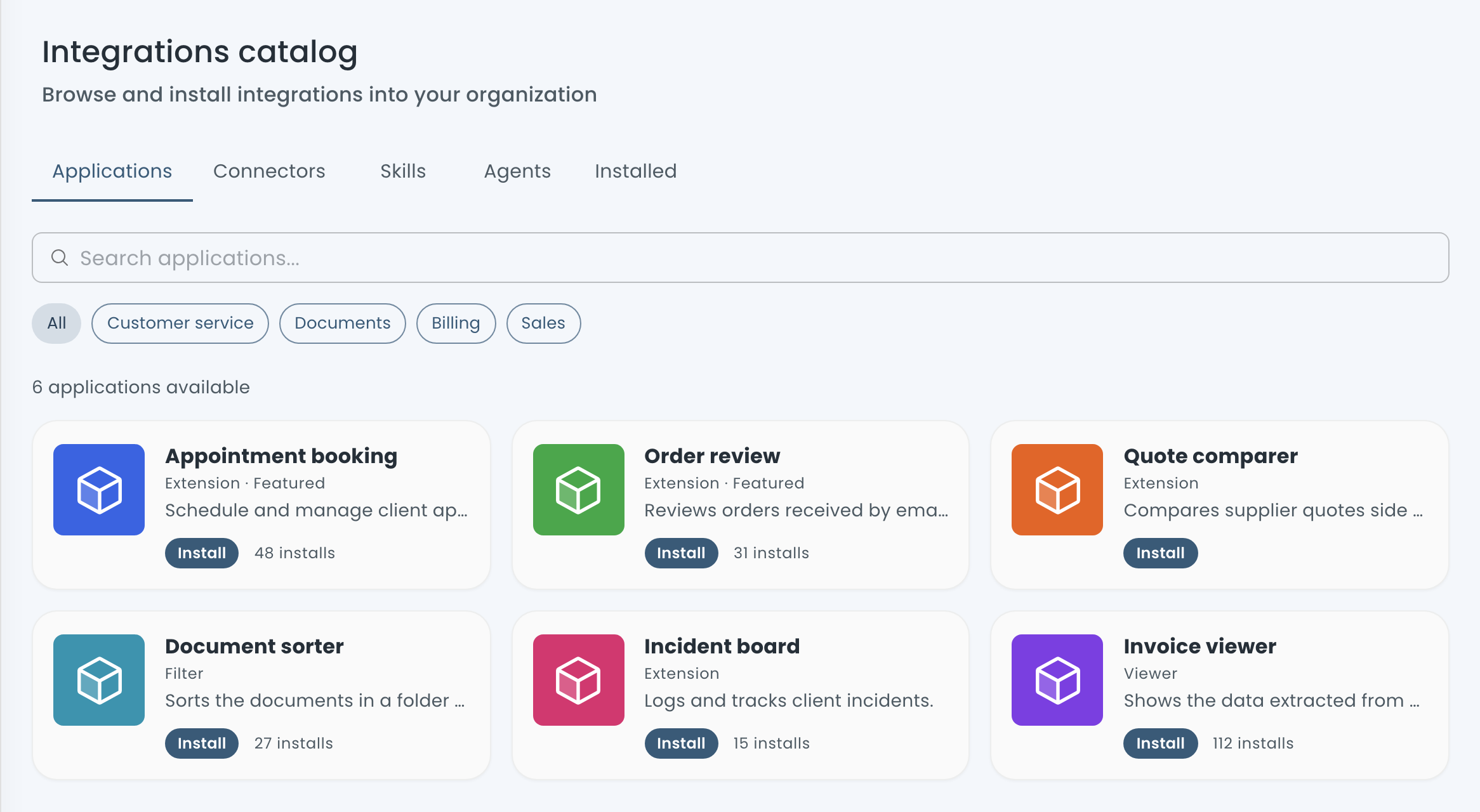
Tabs
| Tab | Path | Content | Visible with permission on |
|---|---|---|---|
| Applications | /store/apps | Integrated apps, with search and a category filter | Apps |
| Connectors | /store/connectors | Connectors for the agents, with search and a category filter | Connectors |
| Skills | /store/skills | Skills for the Studio library, with search | Skills |
| Agents | /store/agents | Ready-made agents, with search. See Catalog agentsUser guide | Studio |
| Installed | /store/installed | Everything installed in the organization | Any of the above |
/store opens the first tab you have access to.
Featured items appear first, followed by the ones not installed yet.
The cards
Each card shows the name, the type (for apps: Extension, Viewer or Filter; see Where they appearUser guide), a description and, from 10 on, the number of organizations that have installed it. Agents also show who publishes them (By …), their version and what they include. Some cards also carry:
- Featured: recommended by ConsulPoint.
- Assigned to your organization: ConsulPoint activated it for the organization, outside the catalog.
- Assigned by your distributor: the organization's distributor installed the agent for it.
The card shows a single action, depending on its state:
| Action or text | When |
|---|---|
| Install | It isn't installed |
| Open | Installed app, skill or agent |
| Configure | Installed connector: takes you to Settings → Connectors |
| Update | There's a new version (people who can't update see Update available) |
| Unavailable | It was withdrawn from the catalog |
Clicking the card opens its details: the version, the installation date, the category and what it includes (an app's resources or a skill's files). The ⋯ menu in the details has Uninstall.
Install, update and uninstall
| App | Connector | Skill | |
|---|---|---|---|
| Install | If it comes with resources (folders, micro-agents, data schemas), you choose them first in a dialog. See Install and manage | Direct. Then it's configured and assigned to agents. See Connectors | Direct. It goes to the Studio library; if the name already exists, it's saved under another one |
| Update | The resources that change are reviewed first | Direct | Asks for confirmation. Replaces instructions and files; keeps name, status and agents |
| Uninstall | Asks for confirmation and lets you also delete what it created | Asks for confirmation. Those assigned to the organization can't be uninstalled | Asks for confirmation. It's deleted from the library and from the agents that used it |
Agents are installed, updated and uninstalled as explained in Catalog agentsUser guide. An uninstalled agent that had conversations comes back when you install it again.
Installing and updating require create permission on the corresponding module (for agents, Studio); uninstalling, delete permission. The subscription sets how many skills, connectors and resources you can have: when you reach the maximum, the platform tells you before installing. See Credits and limits.
Installed
A table with everything installed: Name, Version, Installation (date and who) and Status (Up to date, version available or Unavailable). You can search and filter by type and, for apps, by category. If there are pending updates, a notice lets you see only those.
Each row has Update (if there's a new version), a shortcut to open or configure, and under ⋯, View details and Uninstall.
Withdrawn items
If the publisher withdraws an item from the catalog, it stays installed and can be uninstalled, but it can no longer be reinstalled or updated. If the publisher also deactivates it, an app can no longer be opened.
Catalog items are published by ConsulPoint. Agents can also be published by distributors for their organizations. See Publish agents to the catalogUser guide.