Skills
A skill is a procedure you write once and assign to the agents that need it: how to review an invoice, how to write a reply to a complaint, how to calculate a quote. Besides the instructions, it can include reference files (guides, templates, examples or images) and scripts the agent runs.
How an agent uses it
The agent doesn't carry all its skills loaded in every answer: it knows the name and the Description of each one, and opens a skill only when the conversation calls for it. That's why the description must say clearly when to use it. Once a skill is open, the agent follows its instructions to the letter.
In the conversation, above the answer, What the agent did shows each step:
- Used the skill "…"
- Read "…" from the skill "…", when it looks at a reference file
- Ran "…" from the skill "…", when it runs a script
Skills work the same way in Conversations, in connected channels, in specialists (each one uses its own) and in API queries.
If you edit, deactivate or remove a skill, the change applies to new conversations with the agent. An open conversation that already used it may carry on with the previous version.
The library
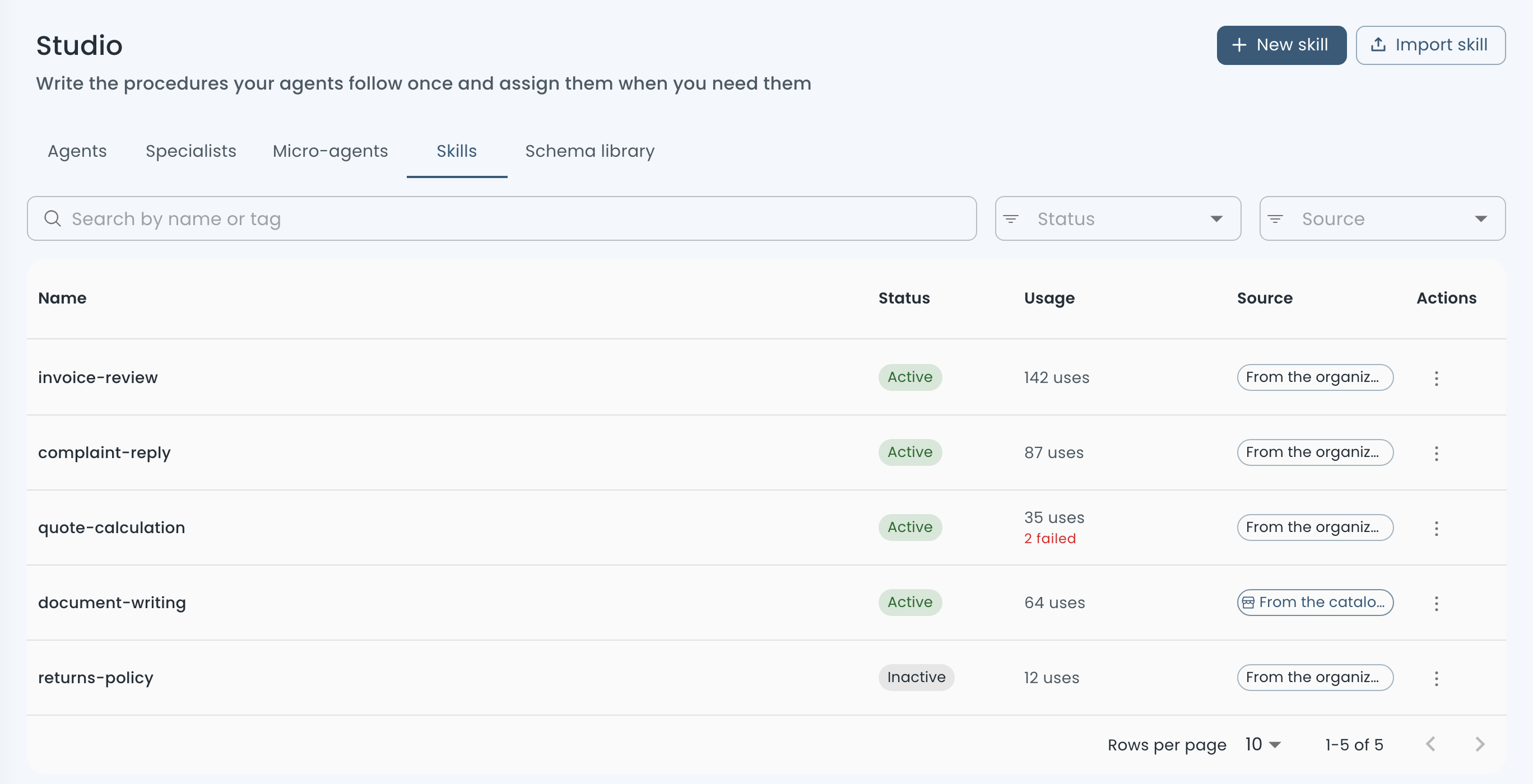
In the Studio, the Skills tab brings together your organization's skills, with their Status, their Usage (how many times agents have used them and, if any failed, how many runs of their scripts ended with an error; hover to see the last use) and their Source:
| Source | Meaning |
|---|---|
| From the organization | Created or imported by the organization. It can be edited and deleted |
| From the catalog | Installed from the Integrations catalogAdministration. It can be activated or deactivated, but not edited; to remove it, you uninstall it from the catalog |
You can search the list by name or tag and filter it by Status and Source. An Inactive skill stays assigned to its agents, but none of them uses it until it's activated again.
To create one, see Create a skill.
Assign skills to an agent
In the agent's detail, the Capabilities tab shows, below the built-in functions, the skills assigned to it, with their usage in that agent.
- Click Manage skills (or Add skills, if it doesn't have any yet).
- Search for the skills and add them. Only active skills can be added.
- Save.
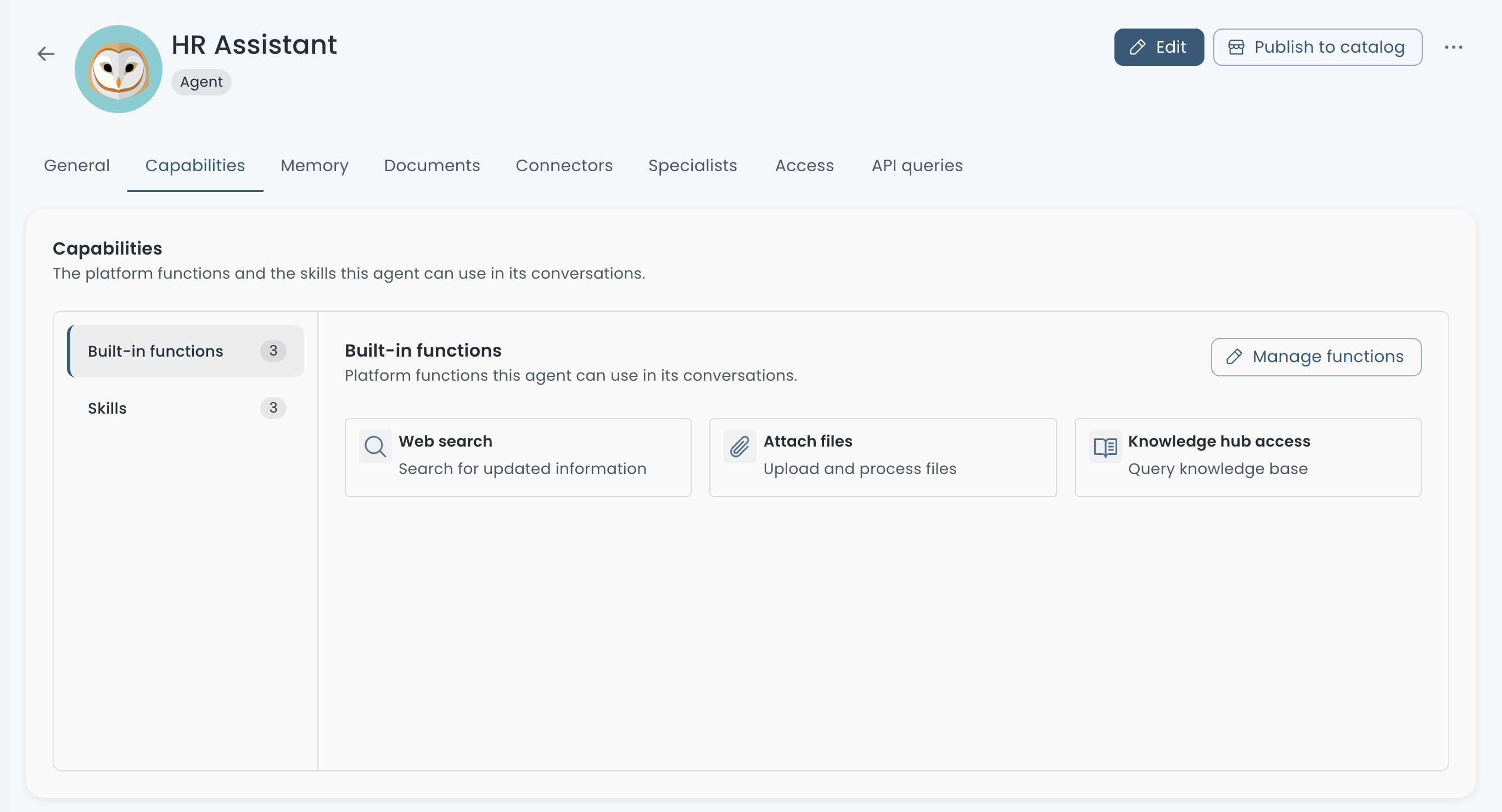
Each agent supports up to 20 skills. Specialists also have the Capabilities tab with their skills: when an agent consults a specialist, the specialist uses its own skills, not the agent's.
To assign skills you need permission to view Skills, permission to edit Studio and edit access to the agent.
Who can do what
With the default roles, the Administrator can create, edit and delete skills; Member and Collaborator can only view them. The subscription sets the maximum number of skills in the organization, counting deactivated ones and those from the catalog. See Credits and limitsAdministration.