Create a skill
You create a skill in the Studio, on the Skills tab, with New skill, or import a ready-made one with Import skill. What a skill is and how an agent uses it is explained in Skills.
The skill's details
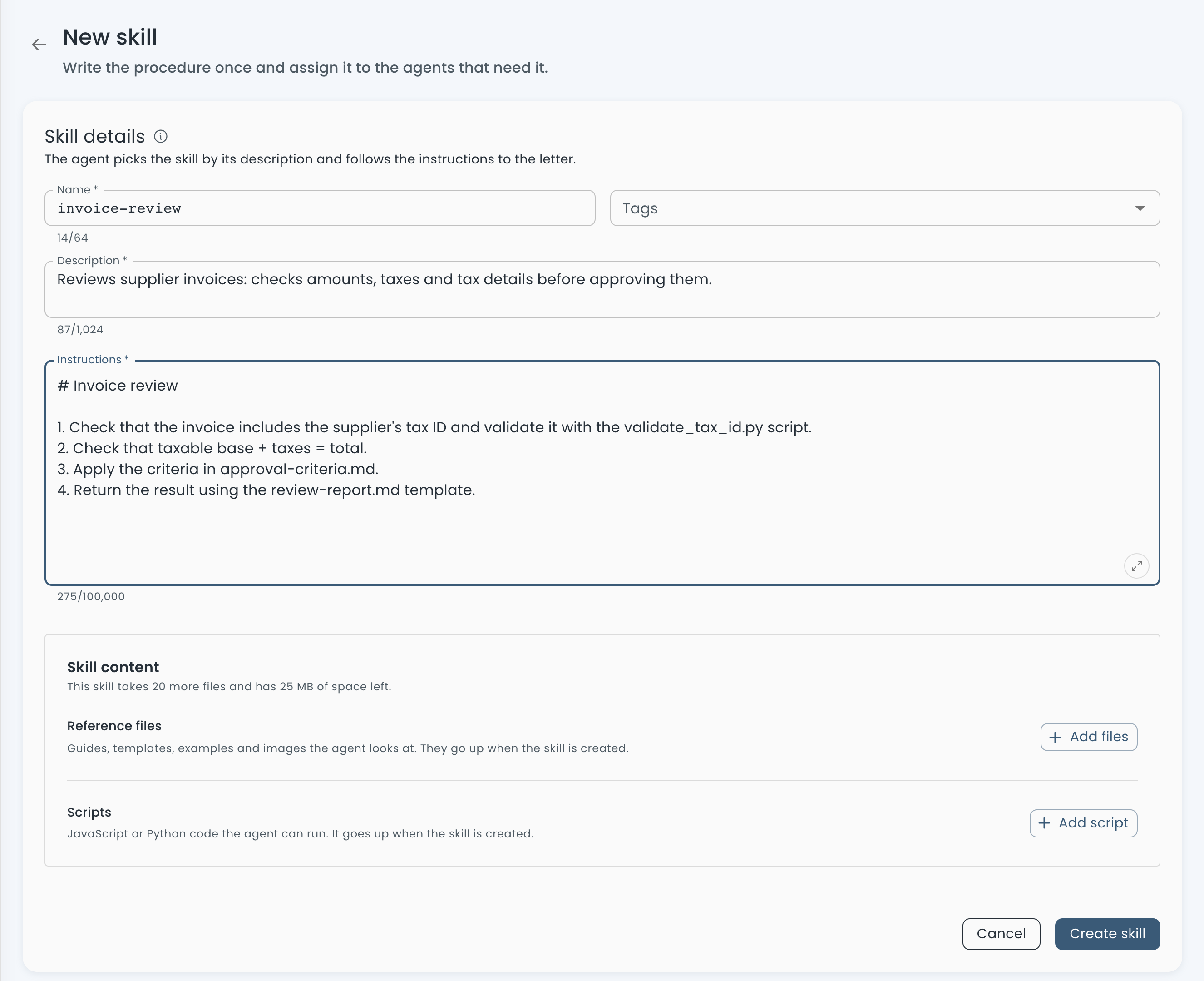
| Field | Constraint |
|---|---|
| Name | Required, up to 64 characters: lowercase letters, numbers and hyphens, with no hyphen at the start or end. For example, invoice-review. It can't be repeated in the organization |
| Description | Required, up to 1,024 characters. It's what the agent reads to decide when to use the skill |
| Tags | Optional, up to 20. They help you find it in the library |
| Instructions | Required, up to 100,000 characters. The procedure the agent follows to the letter |
The description decides whether the agent uses the skill. "Reviews supplier invoices: checks amounts, taxes and tax details before approving them" is better than "Invoices".
The content
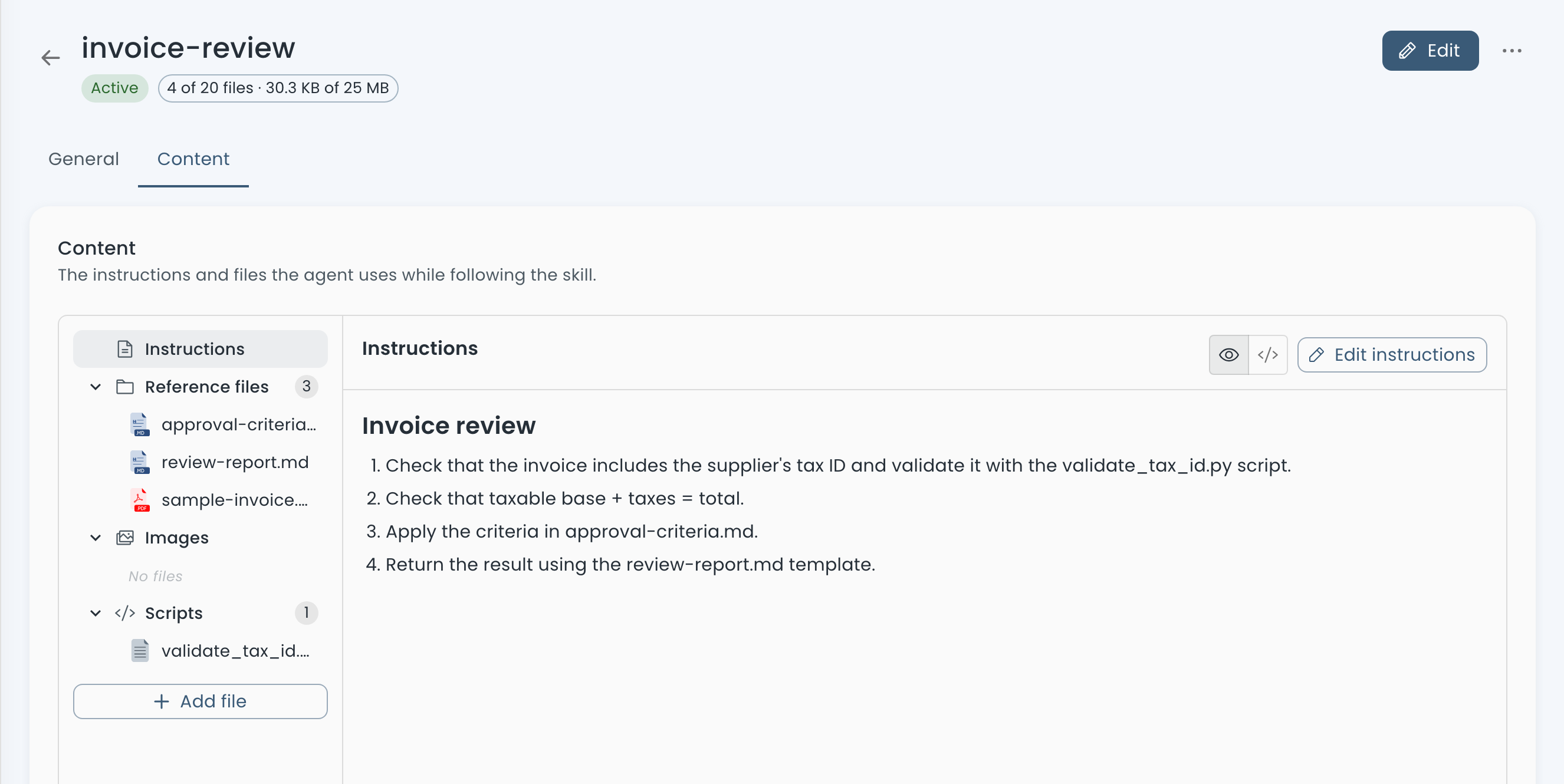
Besides the instructions, a skill can include files. You can upload them when you create it, in Skill content, or later, on the skill's Content tab, with Add file:
| Type | What for | Formats |
|---|---|---|
| Reference file | A Guide, Template or Example the agent looks at | .md, .txt, .pdf, .docx, .json, .csv, .yaml, .yml, .xml, .html |
| Image | A reference image | .png, .jpg, .jpeg, .gif, .webp, .svg |
| Script | Code the agent runs. You state its Purpose (required), its Inputs and its Outputs | .js, .mjs and .py |
Limits: 5 MB per file, 20 files and 25 MB in total per skill. The names of scripts and text files can't have spaces, accents or brackets, because the agent wouldn't be able to read them.
Scripts
Scripts run in an isolated environment: with no internet access and only the standard library of each language (you can't install npm or pip packages). Each run has at most 30 seconds and 256 MB of memory. A script can read the text files of its own skill.
Import and export
Skills use the SKILL.md format, the same as other AI tools, so you can move them from one to another:
- Import skill accepts a .zip package of up to 30 MB with a
SKILL.mdfile and, if it has them, thereferences,scriptsandassetsfolders, with no subfolders. - Export, in the skill's detail, downloads that same package.
Edit, activate and delete
In a skill's detail:
| Action | What it does |
|---|---|
| Edit | Changes the details and the instructions. The changes apply to every agent that has it assigned. From the organization skills only |
| Activate / Deactivate | A deactivated skill stays assigned, but no agent uses it |
| Export | Downloads the .zip package |
| Delete | Removes it from the library and from the agents. It can't be undone. From the organization skills only |
The usage card shows how many times the skill has been used, when it was last used and the results of its scripts.
Skills from the catalog
In the Integrations catalogAdministration, the Skills tab offers ready-made skills. When you install one, it's added to the library with the source From the catalog. If Update available appears later, Update skill replaces its instructions and files, and keeps the name, the status and the assigned agents. Uninstall skill removes it from the library and from the agents.