API keys
An API key lets another system query your organization's agentsUser guide: your own application, an automated process or an OpenAI-compatible tool. Each key only gives access to the agents you choose when you create it. You manage them in Settings → API keys.
The technical side, for whoever builds the integration, is in Agents APIDevelopers.
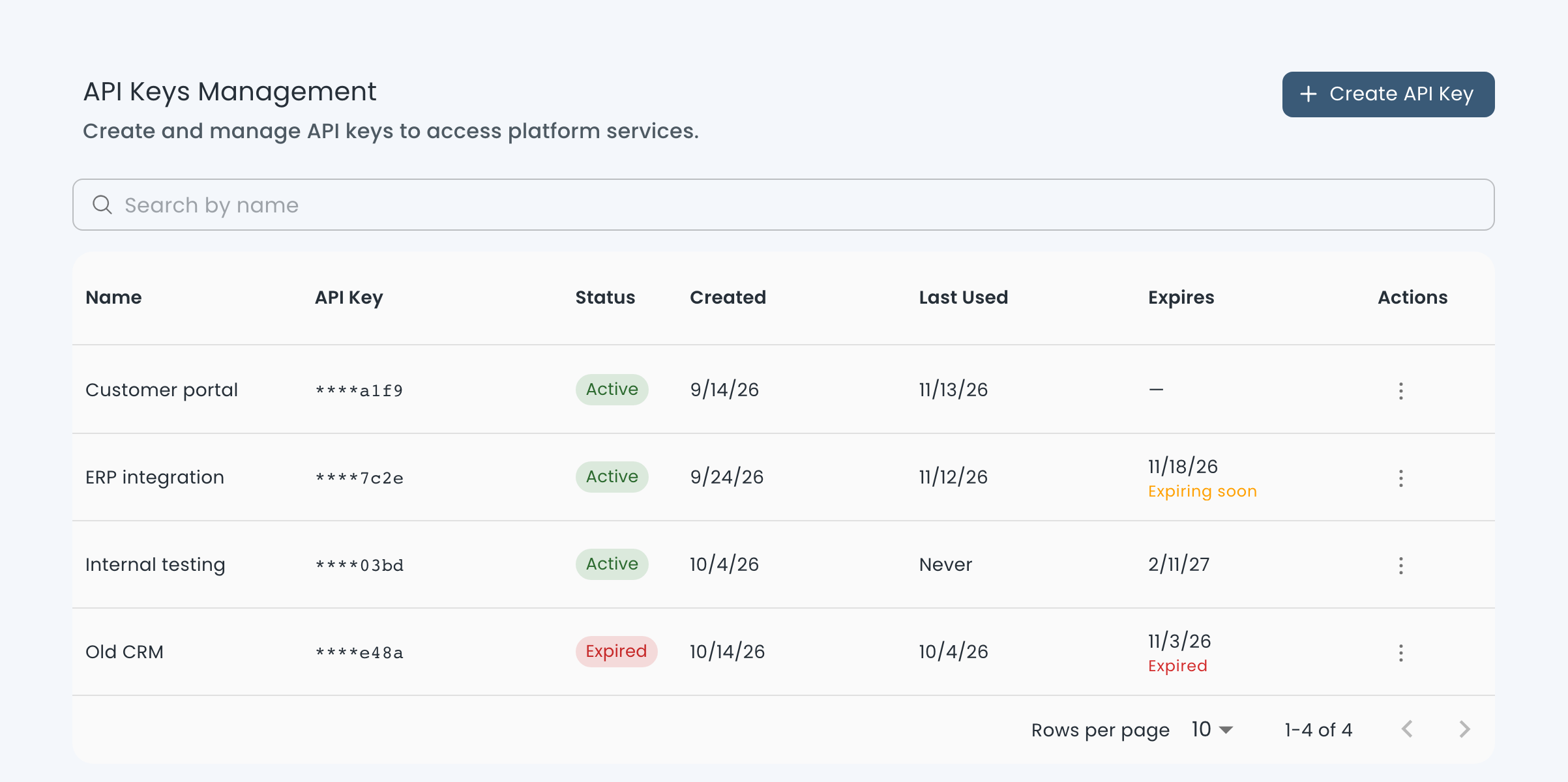
The list
Each key shows its Name, the API Key (only the last characters), its Status (Active, Inactive or Expired), the Created Date, Last Used and when it Expires. Keys about to expire are marked Expiring soon.
Create a key
-
Click Create API Key.
-
Fill in:
Field Content API Key Name Required, between 3 and 50 characters Expiration Date (optional) A future date. If you leave it blank, the key does not expire Agents Required. The agents that can be queried with this key (up to 20) -
Click Create API Key. The platform shows the full key in Your API Key, with a button to copy it.
Copy it at that moment and store it like a password. Afterwards you only see its last characters; if you lose it, you have to regenerate it.
The subscription sets the maximum number of keys. See Credits and limits.
Actions
| Action | What it does |
|---|---|
| View details | Opens the key's record |
| Edit | Changes the name, the expiration and the agents |
| Regenerate key | Creates a new key and shows it once. The previous one stops working immediately; the name and agents are kept. Only on active keys |
| Connect external tool | Shows the details to set up the key in an OpenAI-compatible tool (see below) |
| Activate / Deactivate | A deactivated key stops working until it is activated again |
| Delete | Deletes the key. Only possible if it has been deactivated first |
Each action requires the matching permission on API keys.
A key's record
It has three tabs:
- General: the key, its dates, the Queries remaining (per minute) and the Associated Agents, with how many queries they answered successfully and how many failed.
- Events: the key's Activity log: answered queries, changes to agents or status, regenerations and failed authentication attempts (invalid, deactivated, deleted or expired key). If there are many failed attempts in one day, the record warns of possible suspicious activity.
- Recent executions: each query, with the agent, its status, the tokens, the duration and whether it was charged (Billable). Queries to agents with an own model are not charged.
You can also see the queries each agent receives in its API queries tab, in Studio. See AgentsUser guide.
Connect an external tool
Connect external tool shows what an OpenAI-compatible tool (for example, a code editor) asks for:
- Base URL: the address of the agents API. You don't need to add
/chat/completionsto it. - API Key: the key.
- Model name: the name of one of the key's agents.
If two of the key's agents have the same name, use its identifier instead of the name.