External app
An external app is a channel for the organization's own system, for example a mobile app or a website chat. The system sends its users' messages to ConsulPoint; here an agent or the team replies to them, and ConsulPoint returns each reply to the system so it can deliver it to the user.
The setup in ConsulPoint is done by an administrator. The technical part on the other system (sending the messages and receiving the replies) is in External app channel APIDevelopers.
Create the channel
In Settings → Connectors, click Add integration → External app. Connect external app opens, in three steps.
1. Create channel
| Field | Content |
|---|---|
| Integration name | Required, between 3 and 100 characters |
| Description | Optional; if filled in, between 10 and 500 characters |
| Time without activity before starting a new conversation (minutes) | Required, from 1 to 10,080. Default: 30. If the user doesn't write for that long, their next message opens a new conversation |
| Require partner signature | If turned on, the other system has to sign every message it sends, in addition to using the API key |
Click Create channel.
2. Configure delivery
First, the channel's two credentials are shown:
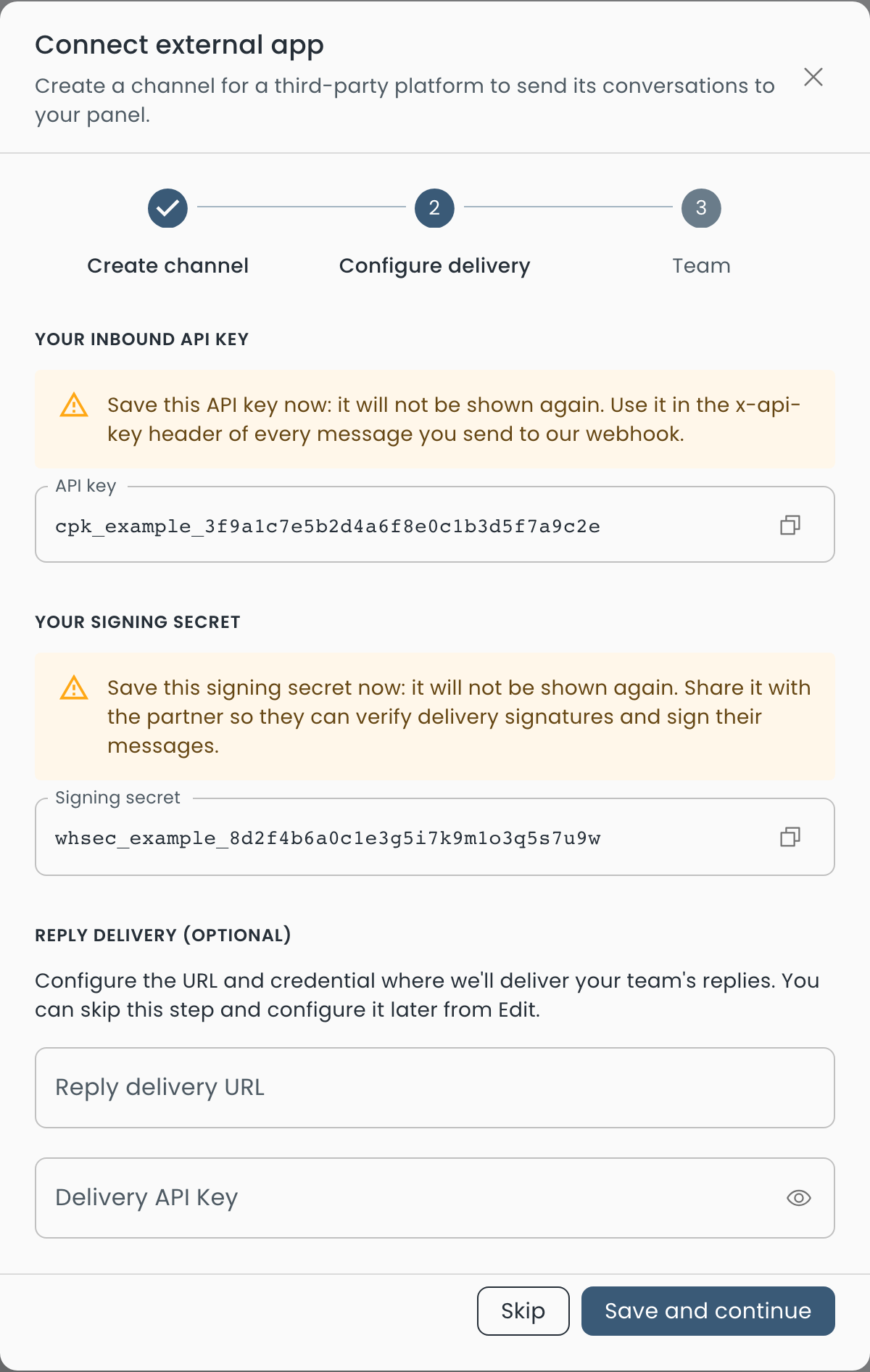
- API key: the key the other system uses to send the messages.
- Signing secret: used to sign and verify the messages in both directions.
Both are shown only once. Copy them and hand them over to the other system's team through a secure channel. If they're lost, they can only be regenerated.
Then, in Reply delivery (optional), you set where ConsulPoint will send the replies:
- Reply delivery URL: the HTTPS address of the other system that receives the replies.
- Delivery API Key: a key the other system will check on each delivery.
You can Skip this and complete it later with Edit. Until it's set up, the card shows Not connected: messages come in, but replies don't go out.
3. Team
Optional: the Owner, the AI agent and the team or people who will see and reply to the conversations. Click Finish.
If you assign an agent, it automatically replies to each user message. The team still sees the conversation and can step in at any time.
Besides the API key, the other system needs this channel's identifier to send the messages. For now it isn't shown on screen: ask ConsulPoint support for it.
After creating it
The integration details show New conversation after inactivity, the Replies URL, whether there's a Signing secret and whether Signature required is on.
| Action | What it does |
|---|---|
| Edit | Changes the name, the description, the inactivity time and the reply delivery |
| Manage team | Changes the owner, the agent and the team |
| Regenerate API key | Creates a new API key and shows it once. The previous one stops working at that very moment: you have to update the other system |
| Regenerate signing secret | Creates a new secret. The previous one stops working at that moment, with no overlap period: coordinate it with the other system beforehand |
| Delete | Deletes the channel |